

A VPN used to be a single app on a single laptop, turned on when you needed privacy and forgotten the rest of the time. That model doesn't hold up anymore. The average home now runs dozens of connected devices, most of which can't run a VPN app at all — and that's changing what a VPN is actually for.
Quick Answer
App-based VPNs only protect the device they're installed on, which leaves smart TVs, speakers, cameras, and consoles unprotected. A router-level VPN encrypts every device on the network at once, with nothing to install anywhere else. That's the real reason VPN use is moving from a single-device tool to whole-home infrastructure as smart home device counts climb.
Why Isn't an App-Based VPN Enough Anymore?
A VPN app only covers the device it's installed on. That was fine when "connected devices" meant a laptop and a phone. It falls apart once a household also has a streaming box, a smart speaker, a video doorbell, a game console, and a couple of smart plugs. None of those can install a VPN app, and most of them are talking to the internet constantly in the background, whether anyone's home or not. (If you want the fundamentals first, this guide covers what a VPN actually does before you get into where it should live.)
There's a separate question worth asking here too: is the VPN provider itself trustworthy? If you're still comparing providers, it's worth reading why free VPNs come with their own trade-offs before deciding where your traffic is actually going.
How Has the Average Home Network Changed?
This isn't a hunch. Look at what's actually plugged into a typical home network now compared to a decade ago, and the shift is right there in the numbers.
| Factor | Home Network, ~2015 | Home Network Today |
|---|---|---|
| Typical device count | 3–5 devices | 15–25+ devices |
| Devices that can run a VPN app | Most of them | A small minority |
| Always-listening or always-on devices | Rare | Speakers, cameras, hubs, thermostats |
| Primary VPN use case | Personal privacy while browsing | Whole-network encryption and access management |
| Where the VPN runs | On the device | On the router |
What Does a Router-Level VPN Actually Cover?
Instead of setting up an encrypted tunnel per device, the router becomes the tunnel. Everything that connects through it — laptop, TV, camera, thermostat — inherits the same protection without anyone touching a settings menu on each one.
Every device behind the router shares one encrypted connection — no per-device setup required.

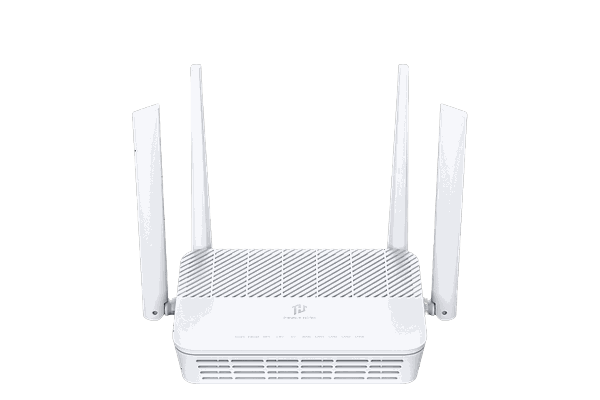
Privacy Hero 2
VPN-optional and whole-home by design, so every device on the network is covered without installing anything on the device itself. Easy, guided setup — ready in minutes, non-technical friendly.
See Privacy Hero 2What Should You Look For as Your Device Count Grows?
- A router built for VPN routing natively, rather than one that requires a separate app on every device
- The ability to choose which devices or networks route through the VPN and which don't
- Support for the VPN provider you already use — check compatibility before switching hardware
- Enough processing headroom to encrypt traffic for a dozen-plus devices at once without slowing things down; this is where newer Wi-Fi 7 hardware tends to have a real edge
Protect Every Device, Not Just One
Answer a few questions and we'll match you to a router that fits your setup — with support for 30+ VPN providers.
Find Your Router100,000+ Routers Shipped · 15+ Years of VPN Expertise · Official NordVPN Partner · US-Based Experts