
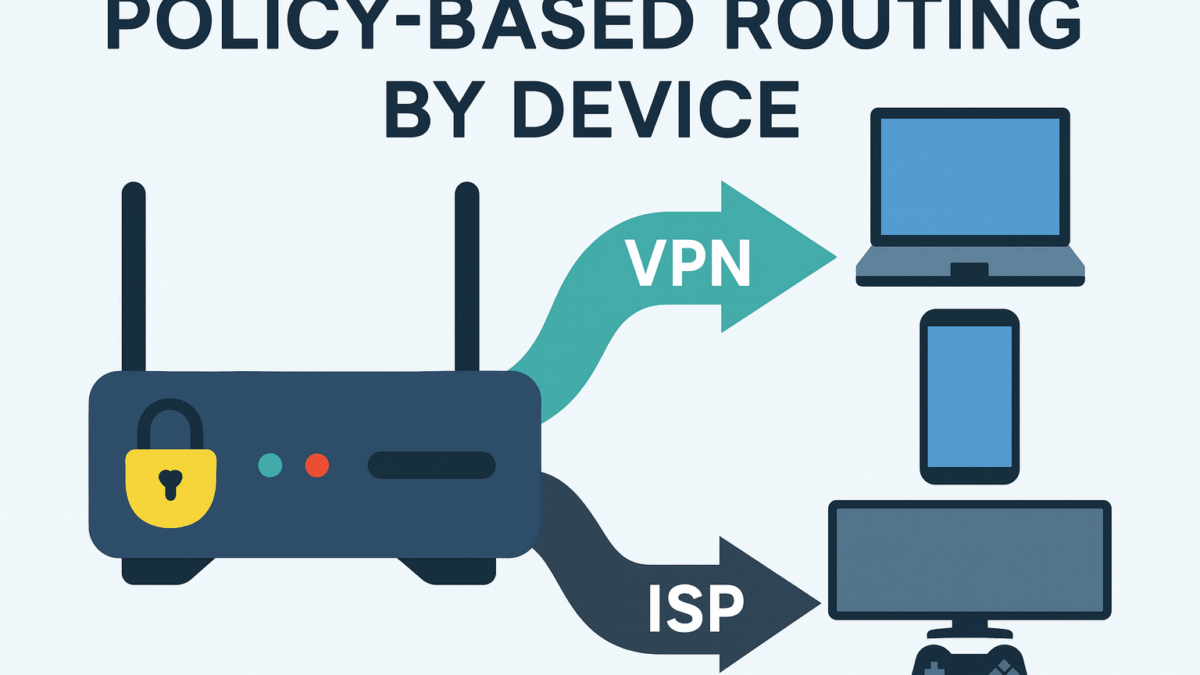
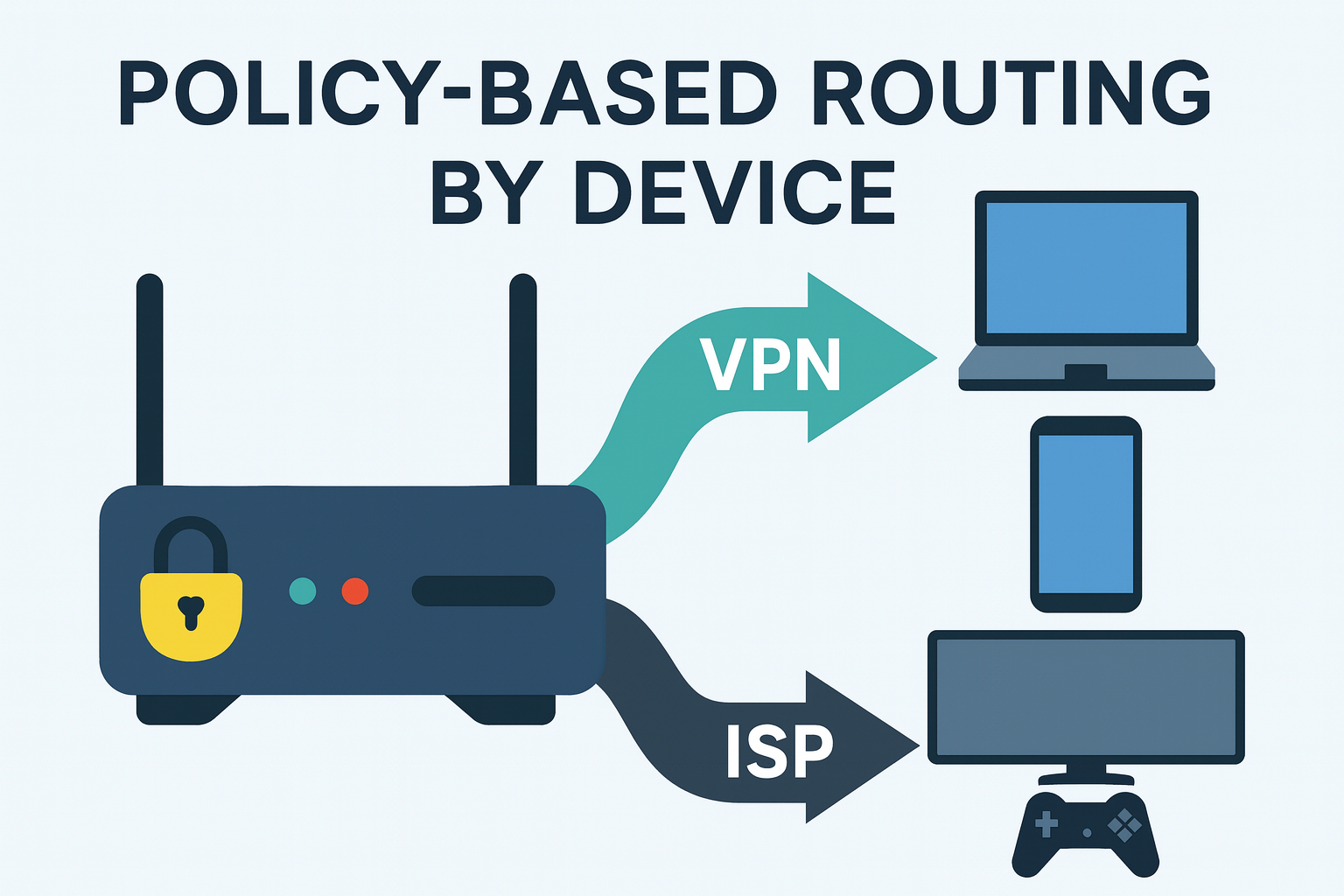
Our routers offer tons of enhanced features—one of the most popular is policy-based routing. Many people want to specify which devices should use a VPN and which should connect normally through their ISP. Read on to find out how to use policy routing by device with a FlashRouter!
Quick Overview
Looking for the easiest way to choose which devices on your network use a VPN and which go directly to your ISP? A FlashRouter with policy-based routing (PBR) makes this simple and automatic.
Best FlashRouters for Policy-Based Routing

NordLynx WiFi 6 Router – Privacy Hero – Perfect for Medium Homes / Perfect for 20-30 Devices / Built-in Support for WireGuard & Wi-Fi 6 / Exclusive Router Support for NordLynx SALE PRICE: $189.99 $249.99 | BUY NOW

ASUS RT-BE92U BE9700 Tri-Band Wi-Fi 7 FlashRouter – Wi-Fi 7 Tri-Band — Up to 9,700 Mbps Combined / 1x 10G WAN/LAN + 4x 2.5G Ports (20G Wired Capacity) / MLO + 320 MHz Channels + 4096-QAM for Lag-Free Connections / VPN-Ready: NordVPN, ExpressVPN, ProtonVPN, Surfshark & More SALE PRICE: $269.99 $329.99 | BUY NOW
Asus RT-BE88U WiFi 7 Merlin FlashRouter – Upgraded with Custom Merlin Firmware. / Next Gen WiFI 7 Update of Asus favorite model. / Wireguard & OpenVPN Compatible. / Works worldwide. SALE PRICE: $359.99 $499.99 | BUY NOW
Best VPNs for Device-Level Routing
Pair your router with a powerful, fast VPN for the best results:

What Is Policy-Based Routing?
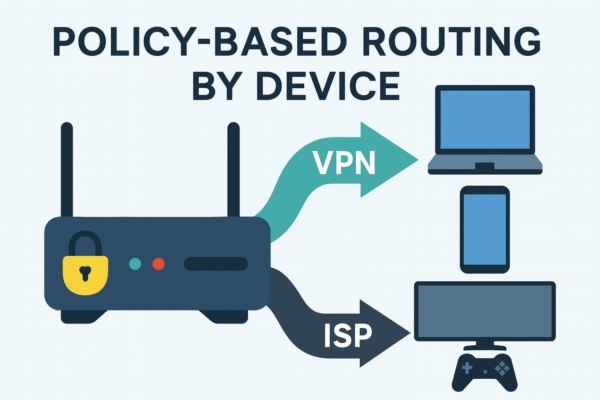
Policy-based routing (PBR) allows your router to route traffic based on rules you define. Instead of routing everything through one tunnel or WAN connection, PBR lets you specify which devices use your VPN, which devices bypass it, and which types of traffic follow special rules. For a deeper technical explanation, see the Policy-Based Routing reference overview. If you’re comparing PBR to split tunneling inside VPN apps, this split tunneling guide is also useful.
How Does Policy Routing By Device Help?
Using device-based routing gives you full control over your home network. Key benefits include:
- Selective VPN use: Only protect the devices that need encryption.
- Better performance: Smart TVs and gaming consoles stay fast by bypassing the VPN.
- Reduced load on your VPN tunnel: Keep speeds consistent for the devices that truly need privacy.
- Centralized management: Everything is configured at the router level—no separate apps needed.
How to Set Up Policy-Based Routing on a FlashRouter
FlashRouters include optimized firmware that supports PBR right out of the box. Setup is straightforward:
- Connect your VPN (WireGuard, NordLynx, OpenVPN, etc.)
- Open the Device Routing or Policy Routing section
- Select which devices should be routed through the VPN
- Select which devices should bypass the VPN
Once saved, your router automatically enforces these rules based on your preferences.
Common Use Cases for Policy-Based Routing
Streaming Devices (Apple TV, Roku, Fire TV)
Streaming devices often perform better outside the VPN because of regional app logic and bandwidth sensitivity. Keep your laptop on VPN for international streaming access while keeping your smart TV on a direct connection for smoother playback.
Gaming Consoles (PS5, Xbox, Switch)
Gaming performance can suffer from latency added by a VPN. With PBR, route consoles through your ISP while keeping other devices protected.
Work-From-Home Devices
Laptops and phones used for remote work can remain securely tunneled through your VPN for privacy and compliance.
Smart Home & IoT Devices
IoT devices often rely on region-locked cloud services and do not work well through VPNs. PBR keeps them on a normal internet connection while still protecting important devices.
Travelers & Remote Users
If you frequently travel or access international platforms, you can route only your personal devices through your preferred VPN server while leaving all home devices local.
For streaming quality optimization, explore our guide on fixing video buffering and Cloudflare’s breakdowns of buffering and latency.
How to Choose the Right Router for Policy-Based Routing
1. CPU Power
VPN encryption is CPU-intensive. Wi-Fi 6 and Wi-Fi 7 routers with multi-core processors deliver the best performance on heavy VPN use.
2. RAM Capacity
More RAM helps your router maintain routing tables, handle multiple devices, and manage higher VPN throughput.
3. VPN Protocol Support
FlashRouters support fast and secure protocols including WireGuard / NordLynx, OpenVPN, and IPSec. To understand protocol differences, visit the official documentation for WireGuard and OpenVPN.
4. Firmware Flexibility
Better firmware means better routing control. Explore our guides to firmware comparison, open-source firmware, AsusWRT-Merlin, and DD-WRT.
5. Wi-Fi Standard (Wi-Fi 6 / Wi-Fi 7)
The latest Wi-Fi standards offer better speed, stability, and capacity—especially when running simultaneous VPN and non-VPN traffic.
6. Multi-Gig WAN Support
If your ISP plan exceeds 1Gbps, a router with multi-gig ports ensures that non-VPN devices get full speed.
Best Routers for Policy-Based Routing
NordLynx WiFi 6 Router – Privacy Hero
$249.99
- Perfect for Medium Homes
- Perfect for 20-30 Devices
ASUS RT-BE92U BE9700 Tri-Band Wi-Fi 7 FlashRouter
$329.99
- Wi-Fi 7 Tri-Band — Up to 9,700 Mbps Combined
- 1x 10G WAN/LAN + 4x 2.5G Ports (20G Wired Capacity)
Asus RT-BE88U WiFi 7 Merlin FlashRouter
$499.99
- Upgraded with Custom Merlin Firmware.
- Next Gen WiFI 7 Update of Asus favorite model.
Best VPN Providers for Device-Based Routing
More About Router Firmware
To explore firmware capabilities in more depth, check out our guides on comparing router firmwares, open-source firmware, AsusWRT-Merlin, and DD-WRT.
Frequently Asked Questions About Policy-Based Routing
1. What is policy-based routing on a router?
PBR allows you to route certain devices through a VPN while others use your ISP normally.
2. Is PBR the same as split tunneling?
No. Split tunneling is an app-level feature. PBR controls routing for your entire network.
3. Do I need a special router?
Yes—most ISP routers lack PBR support. FlashRouters include it by default.
4. Will PBR slow down my network?
Only devices using the VPN tunnel may see reduced speed.
5. What devices should avoid VPN routing?
Gaming consoles, smart TVs, and IoT devices typically perform better on direct ISP routing.
6. Does PBR work with streaming?
Yes—route only the devices that need international access.
7. Which protocols work best?
WireGuard and NordLynx offer the best performance.
8. Can I change routing rules anytime?
Yes—you can update policies instantly through your router’s VPN settings.
Final Thoughts: Take Full Control of Your Home VPN Setup
Policy-based routing is one of the most powerful features of a VPN-ready router. It gives you total control over which devices are protected and which stay on full-speed ISP connections. With a FlashRouter, everything is handled at the network level—no separate apps, no manual toggling, and no configuration headaches.
Explore more:
Questions? Contact our team anytime—we’re here to help.
BEST VPNs OF 2026
#1

#2

#3
