

Updated for 2026: This guide has been refreshed to include Wi-Fi 7, current FlashRouters router recommendations, updated VPN router use cases, and a new look at how router firmware has changed since the WRT54G era.
Router technology has changed in two big ways. First, wireless standards evolved from Wireless-G and Wireless-N to Wi-Fi 6, Wi-Fi 6E, and now Wi-Fi 7. Second, router firmware evolved from enthusiast-focused manual flashing to simpler whole-home control for everyday connected homes.
That is the real story behind today’s router upgrade decision. It is not just about a bigger speed number on a box. It is about whether your router can handle modern devices, modern privacy needs, streaming, remote work, travel, and VPN management without turning every setup change into a weekend project.
Quick Answer: What Is the Difference Between Wireless-N, Wi-Fi 6, Wi-Fi 6E, and Wi-Fi 7?
Wireless-N, also known as Wi-Fi 4, is an older wireless standard that helped improve range and speed compared with early home Wi-Fi.
Wi-Fi 5 made faster 5 GHz performance more common and remains usable for many basic home networks.
Wi-Fi 6 is the practical modern baseline for many homes because it is better at handling multiple devices efficiently.
Wi-Fi 6E expands Wi-Fi 6 into the 6 GHz band, giving compatible devices more room away from crowded older bands.
Wi-Fi 7 is the newest major step, built for higher performance, lower latency, wider channels, and more future-ready home networking.
Why the WRT54G Still Matters
For many networking enthusiasts, the Linksys WRT54G represents the beginning of the modern custom-router era. It was not just a blue-and-black box with antennas. It became a symbol of what router owners could unlock when firmware was no longer treated as something untouchable.
In the WRT54G era, upgrading your router often meant reading forum threads, checking hardware revisions, downloading firmware builds, and hoping the flash went smoothly. That world helped popularize third-party firmware projects and shaped the early identity of FlashRouters: better firmware, better control, and more powerful router features.
But the average home network is very different now. Today, a home may include smart TVs, streaming sticks, phones, tablets, laptops, gaming consoles, security cameras, smart speakers, appliances, and guests. The modern router has to do more than broadcast Wi-Fi. It has to help manage the entire connected household.
Timeline: From the WRT54G Era to Wi-Fi 7

The timeline is simple: early home routers helped people get online, Wireless-N improved speed and range, Wi-Fi 5 made 5 GHz more practical, Wi-Fi 6 helped crowded homes, Wi-Fi 6E opened the 6 GHz band, and Wi-Fi 7 pushes into lower-latency, higher-capacity networking.
Wireless Standards Compared
Wireless standards can be confusing because older naming used technical labels like 802.11g, 802.11n, and 802.11ac, while newer branding uses simpler names like Wi-Fi 5, Wi-Fi 6, Wi-Fi 6E, and Wi-Fi 7.
| Standard | Common Name | Main Bands | What Changed | Simple Explanation |
|---|---|---|---|---|
| 802.11g | Wireless-G | 2.4 GHz | Up to 54 Mbps theoretical speed | The classic early home Wi-Fi era, closely associated with routers like the WRT54G. |
| 802.11n | Wireless-N / Wi-Fi 4 | 2.4 GHz / 5 GHz | Better range, speed, and device handling | A major upgrade over Wireless-G, but dated for today’s smart homes. |
| 802.11ac | Wi-Fi 5 | 5 GHz | Faster 5 GHz wireless performance | Still usable, especially for basic streaming and browsing, but no longer the leading standard. |
| 802.11ax | Wi-Fi 6 | 2.4 GHz / 5 GHz | Better efficiency in crowded networks | A strong modern baseline for homes with many connected devices. |
| 802.11ax | Wi-Fi 6E | 2.4 GHz / 5 GHz / 6 GHz | Adds 6 GHz support | Useful when you have compatible devices that can take advantage of the cleaner 6 GHz band. |
| 802.11be | Wi-Fi 7 | 2.4 GHz / 5 GHz / 6 GHz | Wider channels, lower latency, and more performance headroom | The newest premium standard for future-ready home networking. |
Wi-Fi 7 Explained Simply
Wi-Fi 7 is not just “Wi-Fi 6 with a bigger number.” It is designed to improve speed, responsiveness, and reliability for modern connected homes.
Wider Channels
Wi-Fi 7 can use wider wireless channels where supported. Think of it like opening more lanes on a highway so more data can move at once.
Multi-Link Operation
Multi-Link Operation can let devices use multiple wireless links more intelligently. The goal is smoother performance and lower latency.
Higher Data Density
Wi-Fi 7 uses newer modulation improvements to move more data through each wireless transmission when conditions are right.
In everyday language: Wi-Fi 7 is built for homes where the router is no longer serving a few devices. It is serving streaming, gaming, remote work, phones, laptops, smart TVs, and connected devices all at once.
But Wireless Speed Is Only Half the Router Story
It is easy to compare routers by wireless speed class alone: AX3000, BE3600, BE9700, BE19000, and so on. Those labels are useful, but they do not tell the whole story.
A modern router also needs useful software. That means a clear interface, reliable firmware, VPN support, device management, update support, and setup help when you need it.
That is the biggest shift from the WRT54G era. Back then, advanced features were often for people comfortable with manual flashing and experimentation. Today, the goal is to make powerful router features easier for normal households to use.

Router Firmware Then vs Now
| Then: WRT54G Era | Now: Modern VPN Router Era |
|---|---|
| Manual firmware flashing | Guided setup and pre-configured options |
| Forum research and hardware revision checks | Product pages, setup guides, and support teams |
| Advanced control mainly for enthusiasts | Simpler controls for families, streamers, travelers, and remote workers |
| Basic home Wi-Fi and wired networking | Whole-home VPN, streaming, smart TV, IoT, and device-by-device management |
| Firmware as a hobby project | Firmware as the control layer for the connected home |
Current FlashRouters Options by Router Generation and Use Case
FlashRouters no longer lives in the old Wireless-G world. The current lineup focuses on practical Wi-Fi 6 and Wi-Fi 7 router options for privacy, streaming, travel, budget-conscious homes, and high-performance networking.
For a full buying breakdown, see our updated Best Open-Source VPN Routers 2026 guide. The tables below are a simplified snapshot to help connect each Wi-Fi generation to a practical FlashRouters use case.
Current Wi-Fi 6 Options
| Group | Device | Speed Class / Positioning | Best For | Simple Explanation |
|---|---|---|---|---|
| Plug-and-play privacy | Privacy Hero 2 | AX3000 Wi-Fi 6 | Whole-home privacy, easier VPN setup, families, smart TVs, streaming | Best for people who want the simplest path to router-level VPN protection without manual flashing. |
| NordVPN-friendly privacy | Privacy Hero 2 NordVPN Router | AX3000 Wi-Fi 6 | NordVPN users, NordLynx/WireGuard/OpenVPN support, whole-home VPN | A strong fit for customers who want NordVPN support at the router level with easier setup. |
| Budget home | Cudy WR3000 | AX3000 Wi-Fi 6 | Apartments, smaller homes, first VPN router, budget setups | A practical lower-cost way to add VPN router coverage without paying Wi-Fi 7 prices. |
| Wi-Fi 6 travel | Beryl AX | Wi-Fi 6 travel router | Hotels, rentals, mobile work, secure travel networks | A compact travel router for people who want secure connectivity away from home. |
Current Wi-Fi 7 Home Routers
| Group | Device | Speed Class / Positioning | Best For | Simple Explanation |
|---|---|---|---|---|
| Entry Wi-Fi 7 | ASUS RT-BE58U | BE3600 dual-band Wi-Fi 7 | Most homes stepping into Wi-Fi 7 | A strong entry point for customers who want modern Wi-Fi 7 without jumping to flagship pricing. |
| Wired-heavy home | ASUS RT-BE88U | BE7200 dual-band Wi-Fi 7 | Homes that care about LAN ports and wired flexibility | A better fit for users who want strong wired networking plus Wi-Fi 7. |
| Performance sweet spot | ASUS RT-BE92U | BE9700 tri-band Wi-Fi 7 | Busier homes, 6 GHz support, multi-gig setups | A strong middle-to-premium option with tri-band Wi-Fi 7 and more future-ready networking features. |
| Max Wi-Fi 7 performance | ASUS RT-BE98U PRO | Premium tri-band Wi-Fi 7 | Large homes, multi-gig fiber, heavy streaming, gaming, advanced VPN use | A top-tier Wi-Fi 7 direction for users who want maximum performance headroom. |
| Premium ASUS | ASUS RT-BE96U | BE19000 tri-band Wi-Fi 7 | High-performance homes, fast internet, advanced wireless setups | A premium tri-band Wi-Fi 7 router for users who want more headroom. |
| Flagship feature pick | ASUS ROG Rapture GT-BE19000AI | BE19000 tri-band Wi-Fi 7 | Gaming, premium homes, top-tier performance, multi-gig networks | A premium feature-focused Wi-Fi 7 option for users who want high-end hardware and advanced features. |
| GL.iNet power user | GL.iNet Flint 3 | BE9300 tri-band Wi-Fi 7 | Power users, GL.iNet fans, OpenWrt-style control | A high-performance GL.iNet Wi-Fi 7 router for users who want strong VPN compatibility and advanced controls. |
| Whole-home mesh | ASUS ZenWiFi BE5000 | Wi-Fi 7 mesh system | Larger homes, multi-floor coverage, families, dead-zone reduction | A better fit when coverage matters more than a single central router. |
Current Wi-Fi 7 Travel Routers
| Group | Device | Speed Class / Positioning | Best For | Simple Explanation |
|---|---|---|---|---|
| Touchscreen travel | Slate 7 | BE3600 Wi-Fi 7 travel router | Travel, hotels, rentals, secure remote work | A premium travel router with modern controls and strong portable VPN-router use cases. |
| ASUS travel | ASUS RT-BE58 Go | BE3600 dual-band Wi-Fi 7 | Portable ASUS setup, travel, compact spaces | A compact ASUS Wi-Fi 7 option for customers who want portability with a familiar ASUS software experience. |
| Compact GL.iNet travel | Beryl 7 | Wi-Fi 7 travel router | Travel, portable VPN, mobile privacy | A next-gen compact GL.iNet travel option for customers who want newer wireless performance on the road. |
Router Features Explained Simply
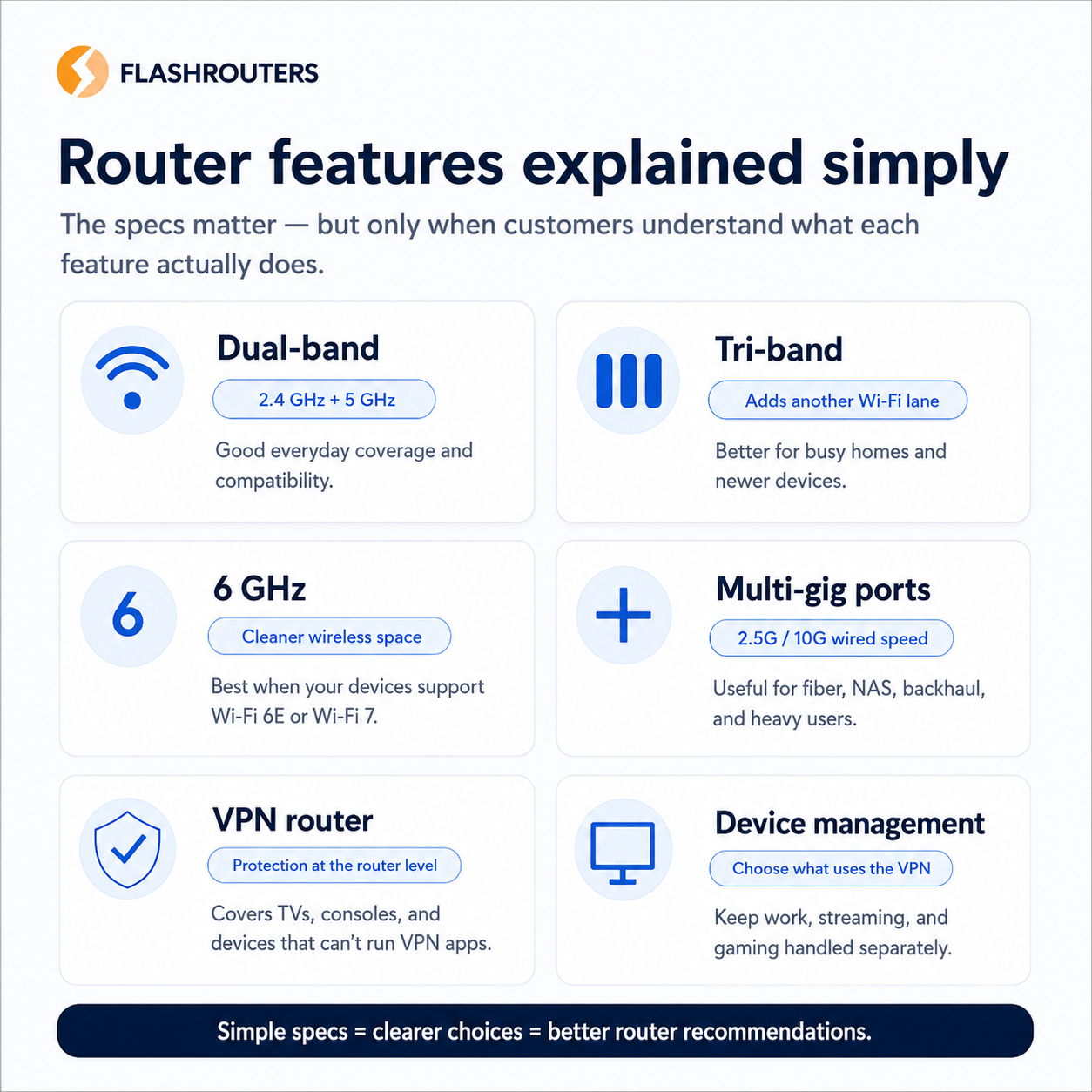
Dual-Band
Dual-band routers use 2.4 GHz and 5 GHz Wi-Fi. That gives most homes a practical mix of range, compatibility, and faster nearby connections.
Tri-Band
Tri-band routers add another wireless lane, often including 6 GHz on newer Wi-Fi 6E and Wi-Fi 7 models. This helps busier homes spread devices across more capacity.
6 GHz
The 6 GHz band can reduce congestion for compatible devices. It is most useful when your phones, laptops, or other devices also support Wi-Fi 6E or Wi-Fi 7.
AX3000, BE3600, BE9700, and BE19000
These are speed-class labels. They help compare router tiers, but real-world speed still depends on your internet plan, devices, distance, interference, and setup.
Multi-Gig Ports
Multi-gig Ethernet ports like 2.5G and 10G are useful for fast fiber, wired backhaul, gaming setups, NAS devices, and high-performance wired networking.
VPN Router
A VPN router runs VPN protection at the network level, helping cover devices that cannot run VPN apps directly, including many smart TVs, streaming devices, and consoles.
Device-by-Device VPN Management
Device-by-device VPN management lets you choose which devices use the VPN and which stay outside it. That is useful for balancing privacy, streaming, work devices, and gaming latency.

Which Router Type Is Right for You?
| User Type | Best Router Direction | Recommended FlashRouters Link |
|---|---|---|
| Budget-conscious home | Wi-Fi 6 VPN router | Budget-Friendly Routers |
| Simple whole-home VPN | Privacy Hero 2 | Privacy Hero VPN Router |
| NordVPN household | Privacy Hero 2 NordVPN Router or ASUS Wi-Fi 7 | Best NordVPN Routers |
| High-speed home internet | Wi-Fi 7 router | Wi-Fi 7 VPN Routers |
| Smart TV and streaming setup | Router-level VPN or Privacy Hero | VPN Setup for Smart TVs |
| Roku users | VPN router setup | VPN Setup for Roku |
| Travelers | Portable VPN travel router | Travel VPN Routers |
| Users who want VPN only on some devices | Device-by-device VPN management | VPN Router Benefits |
Should You Upgrade to Wi-Fi 7?
You should consider Wi-Fi 7 if you have fast internet, newer devices, a busy home network, heavy streaming needs, gaming needs, or a desire to keep your router setup relevant for the next several years.
You may not need Wi-Fi 7 immediately if your current router is working well, your internet plan is modest, your devices are older, or your main priority is basic coverage rather than premium speed.
For many homes, Wi-Fi 6 is still a smart and affordable baseline. For customers who want the newest wireless technology, stronger future-readiness, and more performance headroom, Wi-Fi 7 is the category to watch.
The Bigger Upgrade: From Manual Flashing to Managed Router Privacy
The WRT54G era was exciting because it gave power users more control. But the modern router has to serve more than power users.
Today’s router needs to help parents, remote workers, streamers, travelers, gamers, and privacy-conscious households manage many different devices without needing to become network engineers.
That is where modern VPN routers matter. A router like Privacy Hero 2 is not just about wireless speed. It is about making router-level privacy easier to understand and easier to use.
The best router for your home is not always the one with the biggest number. It is the one that best matches your devices, internet speed, privacy needs, VPN provider, and setup comfort level.
Ready to move beyond old-router limitations?
FlashRouters helps you choose a router for whole-home VPN privacy, Wi-Fi 7 performance, streaming, travel, and device-by-device control.
FAQ: Wireless Standards and Router Upgrades
What is the difference between Wireless-N and Wi-Fi 6?
Wireless-N, also known as Wi-Fi 4, is an older wireless standard. Wi-Fi 6 is newer and designed to handle more devices more efficiently in busy homes.
Is Wi-Fi 6E better than Wi-Fi 6?
Wi-Fi 6E adds access to the 6 GHz band. That can reduce congestion and improve performance for compatible devices. If your devices do not support Wi-Fi 6E, you may not see the full benefit.
Is Wi-Fi 7 worth it?
Wi-Fi 7 is worth considering if you have newer devices, a fast internet plan, heavy streaming or gaming needs, or want a more future-ready router. It is the newest major Wi-Fi generation and is built for higher performance and lower latency.
Does a Wi-Fi 7 router automatically make my internet faster?
No. A Wi-Fi 7 router can improve local wireless performance and reduce bottlenecks, but your internet speed is still limited by your ISP plan, modem, device compatibility, distance, interference, and network setup.
What current Wi-Fi 7 router reviews should I read next?
Start with our Best Open-Source VPN Routers 2026 guide for a full current roundup, or browse the FlashRouters Wi-Fi 7 blog category for the latest reviews and comparisons.
What is the best Wi-Fi 7 VPN router for most homes?
For many homes, the best choice depends on budget and setup style. The ASUS RT-BE58U is a strong entry Wi-Fi 7 option, the RT-BE92U and Flint 3 are stronger performance picks, and premium Wi-Fi 7 options are best for high-speed internet, gaming, and heavy multi-device households.
Where can I find more FlashRouters Wi-Fi 7 content?
You can browse the FlashRouters Wi-Fi 7 blog category for updated router reviews, comparisons, and Wi-Fi 7 buying guidance.
Why does router firmware matter?
Router firmware controls the features, interface, security options, VPN support, and device-management tools available on your router. Modern firmware can make advanced networking tasks much easier than old manual-flashing workflows.
What made the WRT54G important?
The WRT54G became iconic because it helped popularize third-party router firmware and gave home-networking enthusiasts more control over their routers.
What is the best router upgrade from an old Wireless-N router?
For most homes, a Wi-Fi 6 or Wi-Fi 7 router is the best direction. Choose Wi-Fi 6 for value and practical performance, or Wi-Fi 7 for newer devices, high-speed internet, and better future-readiness.
Have any questions about Wireless-AC (Wi-Fi 5), Wireless-AD, Wireless-AX (Wi-Fi 6), Wi-Fi 6E, or router networking in general? Feel free to contact us!