


Secure Your College Dorm Room WiFi: Internet-Privacy Tips for Student Data Safety
When students head to college, parents often focus on tuition, books — but one critical detail is often overlooked: dorm-room internet security. University networks frequently rely on shared infrastructure and minimal security, which makes them prime targets for hackers. With many devices linked to a common access point, the risk of data breaches significantly increases.
To help reduce these risks, students and parents should:
- Ensure your school Wi-Fi uses proper security (avoid “open” public networks when possible).
- Use a password manager to generate and store strong, unique passwords.
- Always prefer HTTPS-encrypted websites when browsing or logging in.
- Use a Virtual Private Network (VPN) — ideally at the router level — to encrypt all device traffic.
- Lock devices, avoid sharing passwords even with friends, and enable two-factor authentication (2FA) whenever possible.
- Only connect trusted USB devices to avoid malware risks.
With these precautions, students and parents can significantly reduce privacy concerns in dorm environments.
The Dorm Network Danger: A Zero-Trust Nightmare
Unlike private home Wi-Fi, dorm networks are shared among many users — often strangers. That creates a “zero-trust” environment: you can’t be sure who else is on the network or what they might be doing. Even well-meaning roommates or neighbors could expose your sensitive data through misconfigured devices or unpatched security flaws.
Many university networks rely on basic authentication and provide minimal traffic protection. Once connected, your device may be visible to others on the same local network — exposing you to increased risk of hacking, eavesdropping, or malware. Phishing attacks are especially dangerous when students assume emails from “.edu” domains are always safe — but a single compromised account can infect or compromise other devices on the network.
That’s why — when possible — using a VPN router is highly recommended. A VPN router encrypts all your outgoing and incoming traffic, isolating your data and significantly reducing the ability for other users on the network to snoop or intercept information.
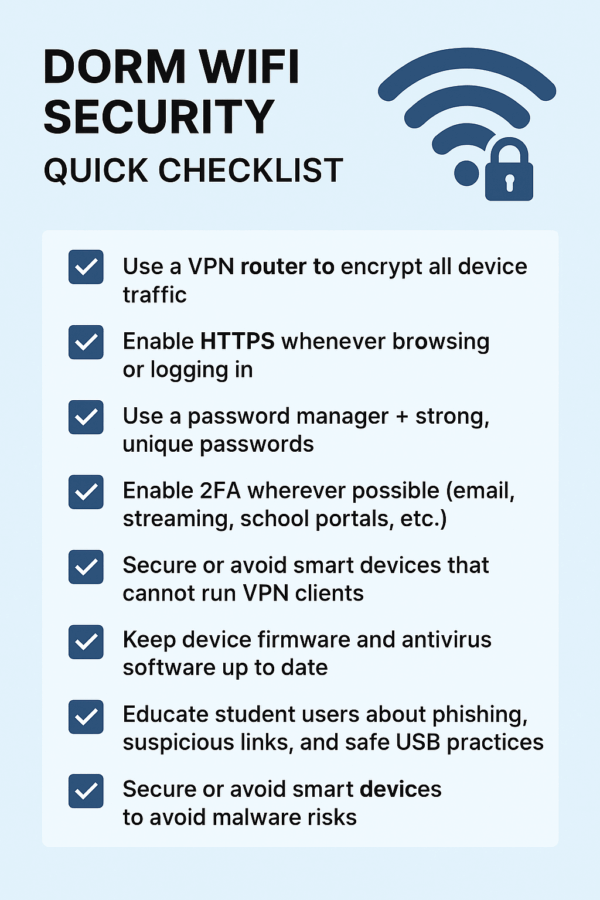
Dorm WiFi Security: Quick Checklist
- Use a VPN router to encrypt all device traffic
- Enable HTTPS whenever browsing or logging in
- Use a password manager + strong, unique passwords
- Enable 2FA wherever possible (email, streaming, school portals, etc.)
- Secure or avoid smart devices that cannot run VPN clients
- Keep device firmware and antivirus software up to date
- Educate student users about phishing, suspicious links, and safe USB practices
Academic Account Takeover: The Dark Web’s Favorite Target
Many students — and parents — may be surprised to learn that “.edu” credentials are highly sought after on the dark web. Fraudsters often value these accounts for between $5 to $100, depending on the prestige of the associated institution.
Why are .edu accounts so valuable?
- They often grant access to student discounts (e.g., Adobe Creative Cloud, Amazon Prime Student), which can be resold or misused.
- Many services treat .edu emails as trusted identity — enabling attackers to create fraudulent accounts, access privileged resources, or commit financial-aid fraud.
- Universities often store sensitive personal data linked to student accounts — Social Security numbers, payment info, personal records — making full-scale identity theft a possibility.
Common attack vectors include phishing emails, keyloggers, man-in-the-middle attacks on insecure Wi-Fi, or malware through infected downloads or devices. Once cybercriminals compromise one account, they often maintain quiet, ongoing access to exploit further opportunities.

Gaming Consoles & Smart-TVs: The “Unprotectable” Devices
Today’s dorm rooms are full of smart devices — gaming consoles, smart TVs, streaming boxes — all connecting directly to the dorm’s Wi-Fi or shared network. Unfortunately, many of these devices cannot run VPN apps or receive regular security updates, rendering them vulnerable.
Why that matters:
- Gaming consoles and streaming devices often store payment info, social profiles, or personal data that attackers could intercept on insecure networks.
- Smart TVs and streaming devices may include built-in cameras and microphones — which, on unsecured networks with weak passwords, could potentially be accessed remotely by malicious actors.
- Even if you protect your laptop with a VPN, all other devices remain exposed unless you secure the entire network at the router level.
To minimize risks for all connected devices: set up a secure VPN router, use strong unique passwords for each device, enable 2FA where available, and avoid leaving unnecessary device-level default credentials active.
Parental Peace-of-Mind: Why This Matters Even if Students Don’t Think It Does
Most college students are focused on classes, social life, or gaming — cybersecurity often falls low on their priority list. Even tech-savvy students may not realize they’re targets. Yet threats like ransomware, phishing, or identity theft are real — and often go unnoticed until it’s too late.
For parents, the fallout can be significant: compromised accounts, stolen identity, drained finances, and data breaches. Parents may want to protect their student — but it’s hard to enforce good practices like enabling VPNs, updating software, or avoiding shady downloads — especially when the student is off-campus.
That’s why simple, effective solutions are key: a VPN router that protects everything automatically, strong passwords, 2FA, and educating students about safe browsing habits. It bridges the gap between awareness and action — giving both students and parents confidence and peace of mind.
| Device Type | Stores Personal Data? | Runs VPN App? | Risk Level on Dorm Wi-Fi |
|---|---|---|---|
| Gaming console (PS5, Xbox, Switch) | Yes – accounts & payment methods | Usually no native VPN support | High without a VPN router |
| Smart TV | Yes – profiles & viewing history | Rarely supports VPN apps | High on shared networks |
| Streaming device (Roku, Fire TV, Apple TV) | Yes – app logins & watch history | Limited or no VPN support | Medium–High without network VPN |
| Laptop | Yes – school, banking, personal files | Yes – can run VPN client | Medium (protected only when VPN is on) |
| Smartphone / tablet | Yes – messages, apps, accounts | Yes – but easy to forget to enable | Medium without always-on protection |
Tip: A VPN router protects all of these devices at once, even if they cannot run VPN apps.
How FlashRouters Provides Plug-and-Play Security for Dorm Rooms
With a pre-configured VPN router from FlashRouters, dorm-room internet security becomes effortless. Every device — laptop, phone, smart TV, gaming console — that connects to the VPN-enabled router is protected by encryption automatically. No need to install software on each device, manually configure settings, or remember to “turn on” the VPN every time.
For parents, this means one-time setup, continuous protection, and no daily maintenance. The router works whether the dorm provides Ethernet, wired connection, or Wi-Fi — creating an “invisible security guard” that’s always on duty.
FlashRouters addresses common VPN pain points too. Their pre-configured settings are optimized for bandwidth, ensuring students can still stream, game, or video-call without noticeable slowdown — while preserving strong security and privacy.
Top VPN Providers for College Students
NordVPN
NordVPN delivers reliable, high-speed global connections across all devices — perfect for students accessing restricted content or browsing anonymously. Its robust encryption helps protect traffic from ISP throttling or surveillance.
ProtonVPN
ProtonVPN offers strong privacy, easy router-level integration, and is ideal for first-time VPN users. With support for modern protocols like WireGuard and strong AES-256 encryption, it’s a solid choice for securing all dorm devices.
SurfShark VPN
SurfShark offers wide coverage with over 3,200 servers in 100+ countries, supporting modern, fast protocols like WireGuard, OpenVPN, and IKEv2/IPSec. Great for streaming, gaming, and bypassing geo-blocks — all while preserving privacy and security.
The Perfect VPN Router Solutions for Dorm Rooms
For students and parents looking for hassle-free security, FlashRouters offers two highly convenient VPN-ready routers that protect every device, even in dorm environments without Ethernet access.

ASUS RT-BE58U Go
The ASUS RT-BE58U Go blends Wi-Fi 7 performance with flexibility — tri-mode connectivity (router / WISP / 4G-5G tethering), foldable antennas, USB-C power, and one-touch mode switching. Easy to deploy — ideal for dorms, apartments, or mobile living.
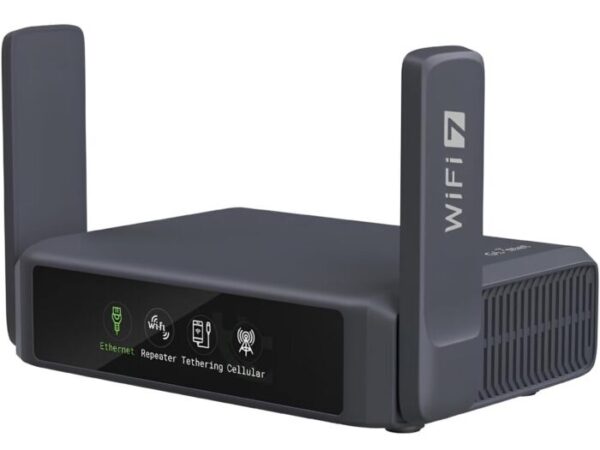
GL.iNet Slate 7
The Slate 7 packs Wi-Fi 7 into a compact, pocket-sized device — perfect for students who need strong, secure connectivity for coursework, streaming, or remote collaboration. With dual 2.5G Ethernet ports, USB-C power, and robust VPN support (OpenVPN & WireGuard), it ensures even “un-VPN-friendly” devices stay protected.
Secure Wi-Fi, Secure Data: Final Thoughts & Next Steps
As students head off to college, they bring valuable electronics, personal data, and countless login credentials. The question isn’t whether they need better security — it’s how to implement it in a way that actually works. FlashRouters transforms an overwhelming security challenge into a solved problem.
With a properly configured VPN router and smart device hygiene (strong passwords, 2FA, secure browsing), students — and their parents — gain long-lasting peace of mind. When you’re focused on making the most of college, the last thing you should worry about is digital exposure or data theft.
BEST VPNs OF 2026
#1

#2

#3
