


How to Use a VPN With Starlink Router
Starlink can work well with a VPN, but the best setup depends on what you are trying to accomplish. Some users only need privacy on one laptop. Others want better streaming flexibility, stronger control over the network, or a router-based setup that protects more devices at once. This guide breaks down the main options, how Starlink bypass mode fits in, and when upgrading beyond the stock router makes sense.
Short answer
Yes, Starlink works with VPNs. The best path depends on whether you want device-level or network-level coverage.
Best fit for most users
Start simple, get the connection stable, then decide whether a router-based VPN setup is worth it.
Main decision
Do you just want a VPN app on one device, or do you want a stronger router setup for the whole network?
Starlink has changed internet access for rural homes, remote workers, travelers, and anyone living outside the reach of traditional broadband. But once the connection is working, many users start asking the next practical question: how do you add privacy, better control, or a more advanced router setup to that connection?
That is where VPNs come in. A VPN can improve privacy, help create a cleaner whole-home network setup, and sometimes simplify how multiple devices connect. But there is no single “best” Starlink VPN setup for everyone.
Can you use a VPN with Starlink?
Yes. In most cases, Starlink works with VPN services just like other internet connections do. You can install a VPN app directly on supported devices, or you can use a compatible router setup that applies VPN coverage more broadly.
That distinction matters because those two approaches solve different problems. A VPN app helps one device. A stronger router setup can help organize and secure much more of the network.
Why people want a VPN on Starlink
Privacy and security
Some users simply want their traffic encrypted when browsing, working remotely, or connecting from a location where privacy matters more.
More control over the network
Others are not just trying to add a VPN. They are trying to build a better network around Starlink with stronger hardware and better local control.
In practice, most Starlink users looking at VPNs fall into one of three categories: they want privacy on a few devices, they want a smarter whole-home setup, or they want to move beyond the stock router entirely.
The 3 main ways to use a VPN with Starlink
1. Use a VPN app on each device
This is the simplest route. Install a VPN app on the laptop, phone, or tablet you want to protect and connect as needed.
- Easy to start
- No router changes required
- Only covers devices running the app
2. Use a VPN-capable router behind Starlink
This is the more advanced path. Your router handles more of the network and can provide a cleaner way to manage broader VPN coverage.
- Better for multi-device households
- Useful for smart TVs and consoles
- Requires a stronger router path
3. Use a hybrid approach
Some users mix device apps and router-based coverage depending on which devices they want protected and how flexible they want the setup to be.
- Flexible
- Can get more complex
- Best for users comfortable managing more variables
Device VPN vs router VPN
When a device VPN is enough
A device-level VPN is usually enough when you only care about one or two computers or phones, you do not need to protect streaming hardware, and you want the easiest possible setup.
It is also a good starting point if you are still learning how Starlink behaves in your home and do not want to change the router setup yet.
When a router VPN makes more sense
A router-based approach becomes more appealing when you want to protect more devices at once, simplify the network, or create a stronger foundation for smart TVs, gaming consoles, or broader whole-home coverage.
It also fits users who already know the stock router is not enough for range, control, or performance reasons.
How Starlink bypass mode fits in
Starlink bypass mode is what makes a more advanced router setup possible for many users. In simple terms, bypass mode allows the Starlink hardware to keep delivering internet while your own router takes over local networking and WiFi management.
Typical setup flow
Bypass Mode
Runs WiFi + Network
That does not automatically mean you need to change your setup. It just means Starlink gives you a path to do it when you are ready.
Why many users eventually move beyond the stock router
The stock Starlink router is designed for basic connectivity. That is useful, but many users eventually run into one or more of these issues:
- Coverage is not strong enough for the full home
- There are too many connected devices
- More local control is needed
- The user wants a better path for VPN routing or advanced networking
At that point, the conversation stops being only about VPNs and starts becoming a bigger networking decision.
Will a VPN slow down Starlink?
Possibly. Any VPN adds overhead. The amount depends on the VPN protocol, the provider, the distance to the VPN server, the hardware doing the encryption, and Starlink conditions at the time.
That is why stronger hardware matters if you want a broader router-based setup. The better the router platform, the more breathing room you usually have.
Is Starlink good for streaming with a VPN?
It can be, but your setup matters. If you only want privacy on one device, an app may be enough. If you want a cleaner network-level setup across more devices, the router path usually becomes more attractive.
The exact streaming experience depends on the provider, protocol, server location, and overall network conditions. Starlink itself does not prevent VPN use, but setup quality matters.
Common mistakes to avoid
Before changing hardware or VPN settings, avoid these traps
- Do not assume the first issue is always Starlink itself
- Do not add too many moving parts before confirming the base connection is stable
- Do not jump straight into a complex router setup if a device VPN would solve your immediate need
- Do not assume every router is equally good for broader VPN use
- Do not ignore coverage, device count, and household layout when choosing hardware
What to do first before upgrading
- Figure out whether your real need is device privacy or whole-home coverage
- Test your current Starlink connection without too many added layers
- Decide whether the stock router is limiting coverage, control, or device management
- If it is, then look at stronger router options that fit your use case
When upgrading your router makes sense
Upgrading makes sense when Starlink itself is doing its job, but the local network still feels limited. That usually shows up as weak WiFi in some areas, too many devices competing at once, limited control, or a desire for a cleaner whole-home VPN path.
If that is where you are, then the next step is not just “get a VPN.” The next step is evaluating the right router for your Starlink setup.
Final thoughts
Yes, you can use a VPN with Starlink. The more useful question is which approach matches what you actually want to accomplish.
If you only need privacy on one device, a VPN app may be enough. If you want stronger coverage, better local control, and a cleaner path to multi-device VPN use, then a more capable router setup is the more logical next step.
Can you use a VPN with Starlink?
What is Starlink bypass mode?
Will a VPN slow down Starlink?
When should I upgrade beyond the stock Starlink router?
Ready for the router-focused version?
If you already know you want stronger hardware behind Starlink, compare the best-fit options by use case on our dedicated Starlink router page.
See the Best Routers for Starlink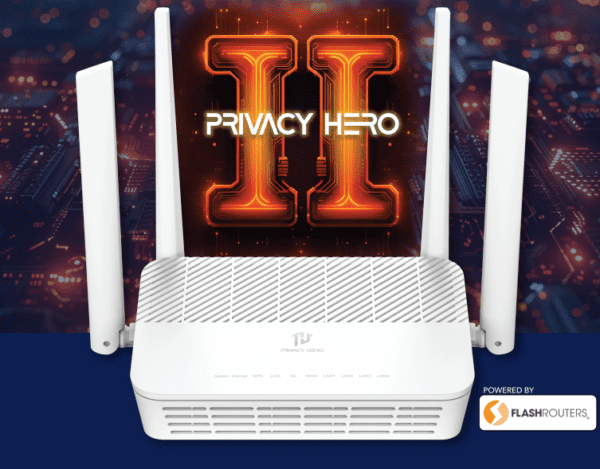

BEST VPNs OF 2026
#1

#2

#3
