

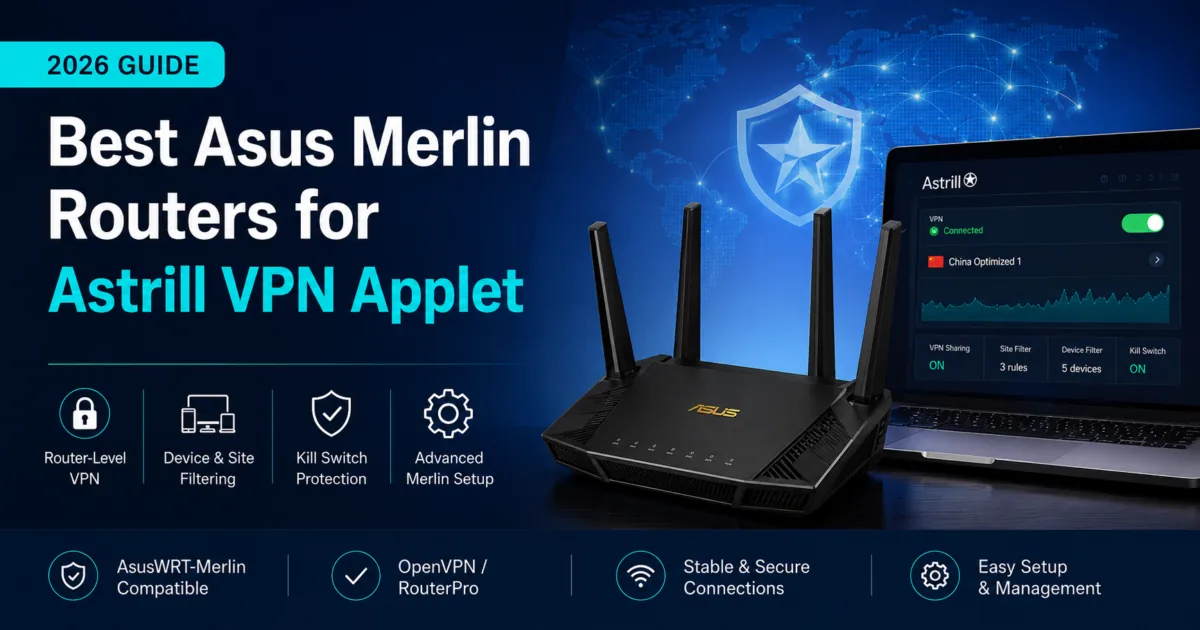
Looking for an Astrill VPN router? Start with a compatible AsusWRT-Merlin router path. The right setup gives you router-level Astrill VPN access, OpenVPN / RouterPro support, and device-level routing control without forcing every device through the same VPN tunnel.
100,000+ routers shipped · 15+ years of VPN expertise · US-based experts
Important reliability note: VPN access in restrictive network environments can change frequently. No router, firmware, VPN provider, or setup method can guarantee uninterrupted access. Before traveling or shipping a router internationally, confirm the latest Astrill guidance, test your configuration, and keep a fallback connection method available.
Short Answer
The best Astrill VPN router path is usually a compatible AsusWRT-Merlin router that can support Astrill Router Applet setup. For most current shoppers, the Asus RT-BE92U is the strongest all-around hardware pick, while Flash My Router is the better path if you already own a supported Asus router. Astrill Applet users should plan around OpenVPN and RouterPro rather than WireGuard-first setup language.
If you are specifically shopping for Astrill VPN router support, the best path is usually a compatible AsusWRT-Merlin router. Astrill’s router applet is built for router-level control, including VPN connection management, device filtering, site filtering, Wi-Fi filtering, DNS options, and a block-internet-if-VPN-drops option.
That makes Merlin different from a basic VPN router setup. Instead of installing VPN apps on every device, you can route smart TVs, streaming devices, laptops, tablets, phones, and travel devices from the router interface.
For users researching an Astrill VPN router for China, the goal should be flexibility and fallback control rather than a guaranteed connection promise. AsusWRT-Merlin gives advanced users more ways to test Astrill Applet settings, RouterPro, OpenVPN, and device-level routing rules.
Quick Answer: Which Router Should You Buy for Astrill VPN Applet?
Asus RT-BE92U
Best current balance for large homes: tri-band Wi-Fi 7, 6 GHz support, multi-gig ports, and a strong Merlin-compatible hardware path.
Asus RT-BE88U
A strong pick for wired-heavy homes, NAS setups, gaming systems, desktops, and users who care more about LAN capacity than a 6 GHz Wi-Fi band.
Flash My Router: Asus Merlin
Already own a supported Asus router? FlashRouters can help install Merlin and prepare the router for a supported VPN configuration path.
Why AsusWRT-Merlin Matters for Astrill
Many VPN routers can run OpenVPN profiles, but Astrill’s router applet is a more specific setup. The applet is designed to run on supported router firmware such as AsusWRT-Merlin or DD-WRT, then give you more control from the router interface.
For Astrill users, the key advantages are:
- Router-level VPN control: connect supported devices through Astrill without installing an app on every device.
- Device filtering: choose which devices use the VPN tunnel and which stay on the normal ISP connection.
- Site filtering: route selected websites through VPN while leaving other traffic direct.
- Wi-Fi filtering: use VPN only on selected wireless bands or SSIDs when supported.
- VPN drop protection: use Astrill’s block-internet-if-VPN-drops option to reduce accidental traffic leaks.
What Is RouterPro?
RouterPro is Astrill’s proprietary router-optimized VPN mode. Astrill describes RouterPro as a customized version of OpenVPN designed for supported router firmware, including DD-WRT, Tomato, TomatoUSB, ASUS Merlin, and RMerl/asuswrt-merlin.
In practical terms, RouterPro is best understood as Astrill’s router-focused alternative to standard OpenVPN. It is intended for router-level VPN use and can be part of the Astrill Router Applet workflow for users who need more control than a basic VPN profile upload.
Best Current FlashRouters Picks for Astrill + Merlin
How to Use Astrill VPN Applet on an Asus Merlin Router
To use Astrill VPN at the router level, start with a compatible router running AsusWRT-Merlin firmware. Astrill’s router applet is designed for supported router firmware and allows you to manage VPN connections, device routing, site filtering, Wi-Fi filtering, and VPN drop protection from the router interface.


Once the applet is installed, you can configure Astrill routing rules based on your network needs. For example, you may route only a streaming device or work laptop through VPN, exclude local devices that need direct ISP access, or use filtering rules to keep the router setup more stable.
Astrill Applet vs Standard VPN Router Setup
The Astrill Router Applet is not the same thing as simply uploading an OpenVPN file into any router. The applet adds a provider-specific control panel and filtering tools. That is why the firmware choice matters.
For many VPN providers, a standard Asus VPN client setup may be enough. For Astrill, shoppers usually want the applet because it gives them more direct Astrill-specific routing control.
Astrill Router Applet on Asus Merlin
Best use: Astrill users who want router-level controls, filtering, and applet-based management.
Limitations: Requires supported firmware, Astrill account access, JFFS/SSH setup, and ongoing testing.
Standard OpenVPN on AsusWRT/Merlin
Best use: General VPN provider use where a normal OpenVPN profile is enough.
Limitations: May not include Astrill’s applet-specific device, site, and Wi-Fi filtering interface.
RouterPro on Astrill Applet
Best use: Astrill router users who need Astrill’s router-optimized VPN mode for supported firmware.
Limitations: Astrill-specific option; not a universal VPN protocol or guaranteed bypass method.
Privacy Hero 2 / NordVPN-focused router
Best use: Users who want a simpler whole-home VPN experience with NordVPN/NordLynx.
Limitations: Not the right path if the main requirement is Astrill Router Applet support.
Using Astrill VPN Routers in China and Other Restrictive Networks
Restrictive networks are difficult environments for VPN reliability. A router setup can help because it covers devices that cannot run a VPN app, but it does not make the VPN immune to blocking, throttling, protocol issues, or server changes.
For the most resilient setup, consider this approach:
- Use a Merlin-compatible router as the network base. This gives you more routing control than a basic consumer router.
- Keep Astrill app access available on at least one computer or phone. The router should not be your only method for changing settings or testing connectivity.
- Separate VPN and non-VPN devices. Keep banking, work apps, local services, and latency-sensitive devices outside the VPN tunnel when needed.
- Use device filtering instead of forcing everything through VPN. This reduces breakage and makes troubleshooting easier.
- Test before travel. Confirm setup, router admin access, recovery steps, and fallback instructions before depending on the router abroad.
Who Should Choose Astrill + Asus Merlin?
Astrill plus AsusWRT-Merlin is a good fit for users who already know they want Astrill and need router-level control. It is especially useful for:
- Homes or apartments where multiple devices need VPN access
- Smart TVs, streaming boxes, consoles, and devices that do not support VPN apps
- Users in restrictive network environments who need applet-level controls
- Travelers or expats who want a router-based VPN fallback
- Advanced users who want more control than a basic VPN client setup
It may not be the best fit if you want the simplest possible VPN router experience. For a more plug-and-play router experience, especially with NordVPN, compare Privacy Hero 2 for NordVPN or the broader Best VPN Routers 2026 guide.
Astrill VPN Applet FAQ
Does Astrill VPN work on Asus Merlin routers?
Yes, Astrill provides a router applet setup path for ASUS Merlin firmware. The router must be compatible with AsusWRT-Merlin, and the applet installation requires steps such as enabling JFFS, enabling SSH, and running the installation command from your Astrill account.
What is RouterPro?
RouterPro is Astrill’s proprietary router-optimized VPN mode. Astrill describes it as a customized version of OpenVPN for supported router firmware, including ASUS Merlin and DD-WRT. It should be understood as an Astrill-specific router mode, not as WireGuard or a generic open VPN protocol.
Is WireGuard the main Astrill router applet protocol?
No. For the Astrill router applet path, the safer current wording is OpenVPN or RouterPro. Merlin may support WireGuard for other VPN providers, but this post should not describe Astrill’s router applet as a WireGuard-first setup.
Which Asus router is best for Astrill VPN Applet?
For most current shoppers, the Asus RT-BE92U is the best all-around pick because it combines modern Wi-Fi 7, tri-band coverage, 6 GHz support, multi-gig ports, and a strong Merlin-compatible direction. Wired-heavy users should consider the RT-BE88U, while travelers may prefer the RT-BE58 Go after confirming setup support.
Can FlashRouters preconfigure Astrill?
FlashRouters can help with supported VPN setup paths, but exact preconfiguration availability depends on router model, firmware, service plan, provider requirements, and account access. For Astrill applet use, confirm the setup workflow before purchase.
Is Astrill guaranteed to work in restrictive network environments?
No. VPN reliability can change frequently. A Merlin router gives you better routing control, but it cannot guarantee access. Test your setup before relying on it and keep backup connection options available.
Should I buy Privacy Hero 2 for Astrill?
No, not if Astrill Router Applet support is the main requirement. Privacy Hero 2 is a better fit for users who want a simpler FlashRouters-designed VPN router experience, especially with NordVPN/NordLynx or supported WireGuard-based configurations. Astrill applet users should focus on AsusWRT-Merlin-compatible Asus routers.
Related FlashRouters Guides
Use these next if you are comparing router firmware, VPN setup options, or easier alternatives to Astrill-on-Merlin.
Shop Merlin-compatible Asus router options. What Is AsusWRT-Merlin?
Learn why advanced VPN users choose Merlin firmware. OpenVPN Router Setup
Understand the protocol Astrill router applet users are most likely to rely on. Best VPN Routers 2026
Compare Privacy Hero 2, Asus Wi-Fi 7, GL.iNet, and more. Compare VPN Providers
See router setup options by VPN service. Wi-Fi 7 VPN Routers
Browse current next-generation router hardware.

BEST VPNs OF 2026
#1

#2

#3
