

Safety note: If you think your device is being monitored, consider viewing this page from a safer device (such as a library computer, a trusted friend’s phone, or a device at a domestic violence shelter). Many organizations listed below also offer “quick exit” buttons on their sites.
Escaping Domestic Abuse: Digital Safety, Tech Abuse & Online Privacy
Staying safe online while escaping domestic surveillance is a process. You may need to:
- Prioritize immediate physical and digital safety
- Use technology safety tools strategically
- Connect with trained advocates who can help you build a secure, long-term safety plan
When we think about domestic abuse, we often picture physical violence or emotional manipulation. But there’s another form of control that’s become increasingly common in abusive relationships: digital surveillance. Abusers use technology to monitor, intimidate, and maintain power over their partners, often in ways that are invisible to friends, family, or coworkers.
If you’re reading this because you suspect your devices are being monitored, or you are planning to leave an abusive situation, know that you are not alone. This guide explains common digital surveillance tactics and offers practical, survivor-centered steps to help you regain privacy and safety.
Quick Digital Safety Overview
- Assume shared or “mysterious” devices may be monitored.
- Use a safer device (library, shelter, trusted friend) to search for help and support.
- Delay major account changes (passwords, recovery info) until you are physically safer.
- Plan a “digital exit” alongside your physical safety plan.
- Once safe, build a clean network: new accounts, secure router, and a VPN where appropriate.
The Surveillance Trap: Understanding Digital Control and Abuse
Digital abuse and tech-facilitated control can be just as dangerous and disorienting as physical abuse. Understanding the tactics an abuser might use is an important first step in protecting yourself.
Stalkerware and spyware. These invasive tools secretly track your location, read messages, log keystrokes, and monitor calls. Unlike legitimate parental controls or device management software, stalkerware is intentionally used to violate privacy and maintain control. Some apps are disguised as “phone cleaners,” “system tools,” or are openly marketed to “catch cheating spouses.”
Shared accounts and passwords. In abusive relationships, sharing passwords is often less about trust and more about surveillance. With access to your email, cloud storage, and social media, an abuser may read your messages, view your photos, and monitor your browsing and search history.
Device tracking features. Tools like “Find My iPhone,” Google’s “Find My Device,” or phone carrier tracking can be misused when an abusive partner controls or knows your login details. These tools can reveal your real-time location and routine, even if you feel “logged out” elsewhere.
Smart home abuse. Smart cameras, doorbells, thermostats, and voice assistants can be weaponized to track your movements, listen in on conversations, or harass you (for example, by changing temperatures or turning devices on/off remotely).
How Tech Abuse Happens
- Monitoring: Reading texts, emails, and social media messages.
- Location tracking: Using GPS, shared accounts, or Wi-Fi networks to see where you go.
- Account control: Changing passwords, locking you out, or resetting devices without consent.
- Smart home manipulation: Using cameras, speakers, and sensors to watch or intimidate you.
- Harassment & threats: Constant calls, messages, or posting harmful content about you online.
The psychological toll of this surveillance is severe. Survivors often describe feeling like there is no safe space to think, plan, or ask for help. You deserve both physical and digital safety.
Signs Your Devices May Be Monitored
There is no single “proof” of stalkerware or tech abuse, but several warning signs together can suggest that your phone, tablet, or computer is being monitored.
Battery drains quickly
Normal: Battery drops faster when you’re actively using the device, streaming, or gaming.
Concerning: The battery drains very fast even when the phone is idle or in your pocket.
Phone is hot or slow when idle
Normal: Occasional warmth after long calls or heavy usage.
Concerning: Frequent overheating or lag when no apps appear to be open can suggest hidden software running in the background.
Unknown apps or “system tools” installed
Normal: A few preinstalled apps from the manufacturer or carrier.
Concerning: Apps you don’t remember installing, especially ones with generic names like “System Service,” “Cleaner,” or “Security,” that have access to your camera, microphone, or location.
The abuser “magically knows” your private info
Normal: They learn information you shared directly or posted publicly.
Concerning: They know about private messages, appointments, or trips that you only discussed on your device or in supposedly private chats.
Settings change without your input
Normal: Small changes after a normal software update.
Concerning: Location, privacy, or security settings keep changing, or you’re repeatedly logged out of accounts with no explanation.
If you notice several of these signs, try not to investigate too deeply on the same device, as that can sometimes alert an abuser. Use a safer device and consider visiting tech-focused resources like NNEDV’s Safety Net project or the Coalition Against Stalkerware for survivor-centered guidance.
Safe Exit Strategy: Protecting Yourself Before You Leave
Leaving an abusive relationship is dangerous and complex. A digital safety plan should support, not replace, your physical safety planning with advocates or trusted people.
Shared devices with the abuser
Safety level: Very unsafe for planning.
If you both use the same phone, tablet, or computer, assume they can see history, messages, and accounts. Avoid searching for help or messaging advocates from here whenever possible.
Your personal phone you suspect is monitored
Safety level: Risky.
Use it only for routine, non-sensitive tasks. Try not to search for shelters, attorneys, or safety plans on this device.
Library or shelter computers
Safety level: Safer.
Good options for researching resources, changing passwords, and contacting hotlines. Always log out completely and don’t save passwords or autofill.
Prepaid phone the abuser doesn’t know about
Safety level: Very safe if kept hidden.
Useful for private calls or texts with advocates, lawyers, or trusted friends, and for creating new email and app accounts.
Key steps: Use safer devices for planning, create new communication channels the abuser doesn’t know about, store documentation securely, and time account changes (passwords, recovery info, location services) for when you are physically safer.
Infographic-Style Checklist: Your Digital Exit in 8 Steps
- Use a safer device to research help and resources.
- Create a new email and communication channel unknown to the abuser.
- Gather and store important digital evidence somewhere safer.
- List all critical accounts (email, banking, social media, cloud storage).
- Plan when you will change passwords and recovery info.
- Turn off location sharing & shared calendars when it is safe to do so.
- Once you are in a safer place, reset devices or move to newer, safer ones.
- Set up a more private home network with a secure router and VPN, if possible.
What to Do If You Think Your Phone Has Been Hacked by an Abuser
If you suspect your phone has been hacked or has stalkerware installed, it’s important to move carefully so you don’t increase your risk.
- Use a safer device to research help. If you can, use a library or shelter computer, or a trusted friend’s phone, to look up resources and hotlines.
- Don’t confront the abuser about tech abuse on the monitored device. Confrontations can escalate danger and may cause them to tighten control.
- Write down what you notice. Keep a list of strange behavior (battery, apps, comments the abuser makes) on paper or a safer device. This can help advocates or law enforcement later.
- Talk to a tech-aware advocate. Organizations like NNEDV’s Safety Net or the Coalition Against Stalkerware can help you weigh the pros and cons of resetting a device, replacing it, or preserving evidence.
- Plan resets for a safe moment. A factory reset or getting a new phone is usually safest to do once you are in a more secure situation and have a backup communication plan.
Creating a Clean Network: Your Fresh Start Online
When you have reached a safer location, it can be helpful to rebuild your digital environment from the ground up.
Start fresh with accounts. Create new email, messaging, and social accounts using strong, unique passwords and updated recovery info. Avoid reusing old passwords if your abuser ever had access to them.
Factory reset when safe. If you bring devices with you, a factory reset can clear out stalkerware or hidden apps. Back up only the files you truly need to a secure account first, and get help if you’re unsure.
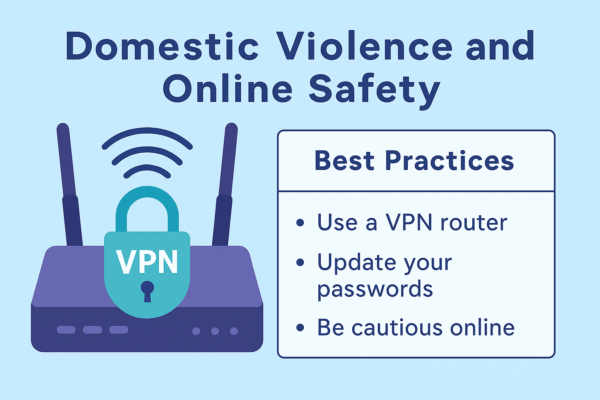
Secure your home network. A safe network matters as much as safe devices. Setting up a router you control can help limit who can see your traffic and which devices join your network.
- Change the router’s default admin username and password.
- Disable remote management you don’t use.
- Create a guest network for smart home and IoT devices.
- Consider using a VPN at the router level to add an extra layer of privacy.
Review logins and sessions. On your new, safer accounts, sign out of all sessions and log back in only on trusted devices. Update phone numbers, backup emails, and security questions so an abuser can’t use old details to break in.
Keep your new number and address private where possible. Consider using services like Google Voice or similar to share a “buffer” number instead of your primary phone number when you don’t fully trust the recipient.
Can My Abuser Track Me Through Wi-Fi or My Router?
Many survivors wonder if their abuser can “see everything” through the home Wi-Fi. The answer depends on who controls the router and what tools they use.
- Router access matters. Someone who controls the router’s admin login may see which devices are connected and, in some cases, which sites are being visited.
- Internet providers can see a lot too. Even if you log out of your router, your ISP can still see metadata about where you’re connecting from.
- VPN routers help reduce this kind of tracking. A VPN-enabled router encrypts traffic for all devices on your network so your ISP and local Wi-Fi network see much less detail.
- Wi-Fi 7 and newer routers can add performance benefits. If you are rebuilding in a new home and want fast, future-proof privacy, you can learn more in our guide to key benefits of Wi-Fi 7 and next-gen routers.
None of these tools can stop abuse by themselves. But when you are in a position to set up your own network, using a VPN router and a secure Wi-Fi setup can make it harder for others to monitor your online activity without your knowledge.
Best VPN Routers for Online Safety & Privacy
Note: No router alone can stop abuse or guarantee safety. These tools are just one part of a broader safety and support plan.
If you’re not sure which router is right for you, you can also browse all VPN-ready FlashRouters here to compare options for speed, coverage, and VPN provider support.
Privacy Hero 2
The Privacy Hero 2 VPN router offers whole-home VPN protection without installing VPN apps on every device. It supports modern protocols like NordLynx and WireGuard, includes built-in ad blocking and parental controls, and is managed through a simple cloud dashboard. For survivors starting over on a new network, this can help keep ISP and network-level tracking to a minimum. To dive deeper into how it works, see our guide to Privacy Hero 2 and VPNRouters101.
Linksys MR7350 DD-WRT FlashRouter
The Linksys MR7350 WiFi 6 AX1800 DD-WRT FlashRouter combines open-source DD-WRT firmware with support for OpenVPN and WireGuard. It’s ideal for more technical users or advocates who want fine-grained control: custom firewall rules, advanced VPN policies, and powerful configuration options. You can also learn more in our post on the best open-source VPN routers for 2026.
Asus RT-BE92U WiFi 7 FlashRouter
The Asus RT-BE92U WiFi 7 BE9700 FlashRouter is a next-generation tri-band router with support for VPN configurations and advanced AsusWRT tools. For busy homes, remote work, or shared living spaces, Wi-Fi 7 helps keep everything fast and stable while VPN routing keeps traffic encrypted.
Domestic Abuse Resource Directory: You Don’t Have to Do This Alone
Escaping abuse is overwhelming, and dealing with the digital side can make it feel even more complicated. You deserve support from people who understand both domestic violence and technology.
- National Domestic Violence Hotline (US): Call 1-800-799-7233 or text START to 88788. Their website (thehotline.org) includes safety planning tools and a quick-exit button.
- NNEDV Safety Net Project: The National Network to End Domestic Violence’s Safety Net program (nnedv.org – technology safety) provides in-depth resources on tech safety, stalkerware, and digital privacy for survivors and advocates.
- Cyber Civil Rights Initiative: If you are experiencing image-based abuse, non-consensual pornography, or online harassment, visit cybercivilrights.org for information and support.
- Coalition Against Stalkerware: The Coalition at stopstalkerware.org offers guides on detecting and removing stalkerware for Android and iOS devices.
- Local shelters and advocacy organizations: Many offer confidential tech help, safer devices, and private internet access. They can help you build a safety plan tailored to your situation and local laws.
If you are outside the United States, look for national or regional hotlines in your country, or ask a trusted local organization if they can connect you to digital safety support.
Building Your Safety Plan: The Role of Network Security
Your digital safety plan should include devices, accounts, and the network you use to connect to the internet. A secure, well-managed router is not a magic shield, but it can be an important part of defending your privacy and limiting unnecessary tracking.
At FlashRouters, we specialize in VPN-ready routers that help encrypt your traffic and reduce tracking at the network level. VPN-enabled routers can:
- Encrypt internet traffic for many devices at once, not just one app or phone.
- Help reduce location tracking tied to your IP address.
- Work alongside good device practices (strong passwords, updates, and safe browsing).
For victims and survivors of domestic abuse, network security is about more than convenience. It can be one component of rebuilding a safer, more private life—alongside legal support, advocacy, and community resources. For more on how VPN routers work in general, see our explainer on VPNRouters101 and Privacy Hero 2.
More Digital Safety Tips for Victims and Survivors of Abuse
- Assess immediate risks: When in doubt, use a safer device for anything related to leaving, legal help, or safety planning.
- Create a new account plan: Make new email and social accounts from safe devices, with unique passwords and updated recovery info.
- Secure communications: Consider encrypted messaging apps like Signal, and enable disappearing messages when appropriate.
- Limit location trail: Turn off unnecessary location sharing, remove geotags from photos, and avoid posting real-time locations online.
- Audit devices: Look for unknown apps or configuration profiles. If you suspect monitoring, seek help from an advocate or tech support professional before resetting.
- Review cloud backups: Cloud services may store deleted items; adjust what is synced or shared if that could put you at risk.
- Reduce public visibility: Temporarily tighten social media privacy, limit posts about daily routines, and block or restrict known harassers when safe to do so.
- Emergency planning: Memorize key phone numbers, keep a physical copy of important contacts and documents, and identify safe places you can go if you must leave quickly.
- Use community resources: Hotlines, shelters, and legal advocates can help you navigate both safety and technology questions.
- Document safely: If you choose to document abuse, store copies in secure places and consult advocates or legal professionals about how best to preserve evidence.
Frequently Asked Questions About Tech & Abuse
How do I know if my phone has stalkerware?
Warning signs can include rapid battery drain, unexpected overheating, strange apps, settings changing without your input, or the abuser “knowing” your private conversations or locations. None of these are proof on their own. For tailored help, consider resources like NNEDV’s Safety Net or the Coalition Against Stalkerware.
Can my abuser track me through Wi-Fi or my router?
If your abuser controls the router or has access to its admin panel, they may see which devices are connected and sometimes which sites are visited. Using your own secure router, limiting admin access, and routing traffic through a VPN router may help reduce this kind of monitoring, especially once you are in a safer place.
Is it safe to factory reset my phone?
A factory reset can remove many forms of stalkerware, but it can also alert an abuser that something has changed. Whenever possible, reset devices at a time that is safest for you and after you have a backup communication plan.
How can a VPN router help with privacy?
A VPN router encrypts traffic for all devices connected to it, which can help protect you from ISP tracking, some kinds of network spying, and some forms of location-based tracking. It does not stop all abuse or monitoring—especially if an abuser still has physical access to your devices—but it can support a safer, more private setup when rebuilding your life.
If you are in immediate danger, call 911 (in the US) or your local emergency number right away. This article is for informational purposes only and is not a substitute for legal advice or support from domestic violence advocates. You deserve safety, privacy, and support.

BEST VPNs OF 2026
#1

#2

#3
