

Decision Guide
When to Use a VPN Router as a Secondary Router Instead of Replacing Your Main Router
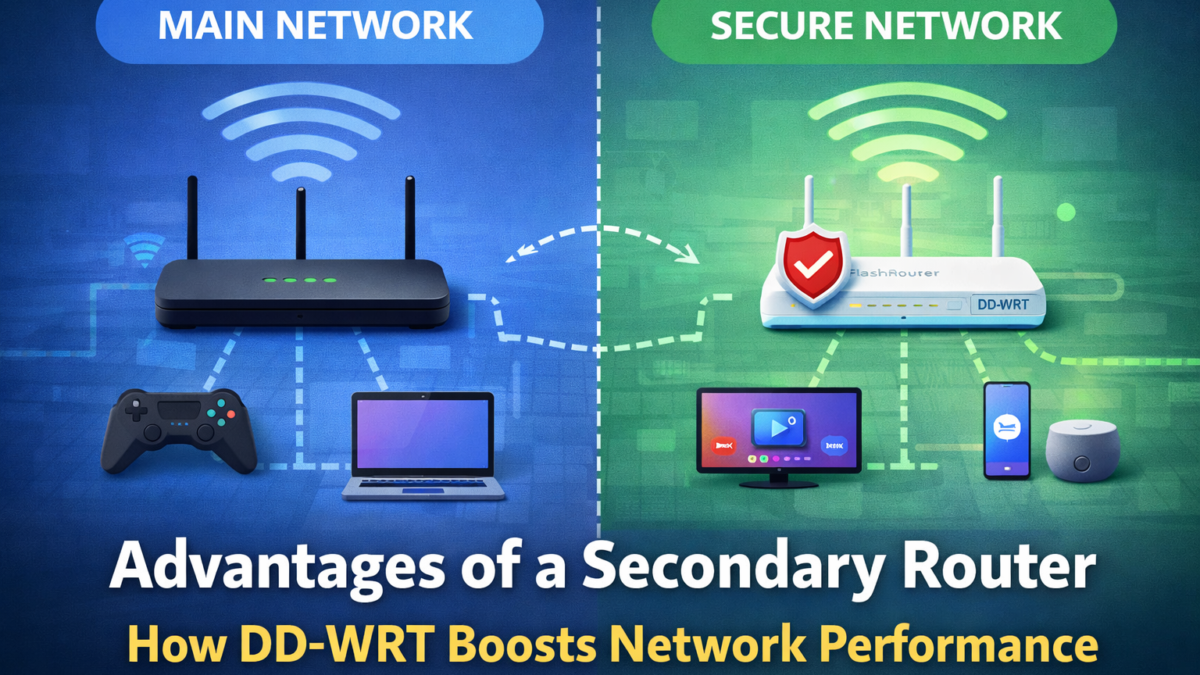
You do not always need to replace your current router to get the benefits of a VPN router. In many homes, the smarter move is to keep your existing network in place and add a second router for the devices, traffic, or use cases that need more control.
Best for: streaming setups, mixed-device households, shared homes, and buyers who want a lower-friction path before rebuilding the whole network.
One home. Two networks. Less disruption.
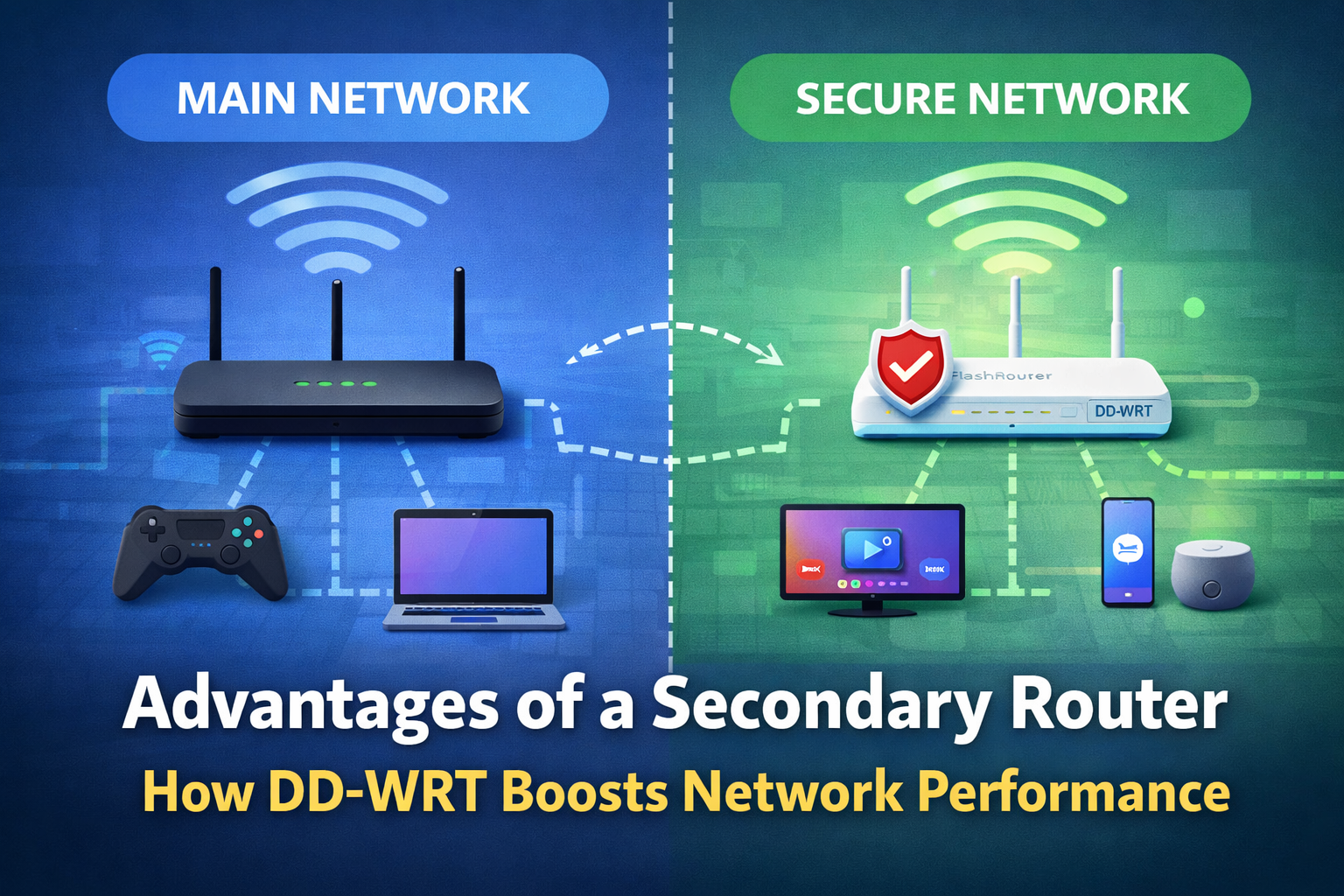
A secondary-router setup lets you keep your existing network for everyday use while adding a second network for the devices or activities that need more control. Instead of rebuilding the whole household at once, you create a cleaner split between normal local traffic and selected devices that benefit from a dedicated environment.
Keep your current router
- phones and laptops
- routine local-use devices
- household Wi-Fi that already works
Add a FlashRouter behind it
- streaming devices and TVs
- selected privacy-focused devices
- shared or mixed-use hardware
When a secondary router setup makes the most sense
- You want to keep your current Wi-Fi network unchanged.
- Only some devices need router-level VPN coverage.
- You want one network for regular local use and another for selected devices.
- You share the network with family, roommates, or guests.
- You want a lower-risk first step before replacing your main router entirely.
Jump to:
What it is ·
When it works best ·
When not to use it ·
Best router types ·
FAQ
Keep what already works
Avoid rebuilding the entire household network if your current setup already handles everyday use well enough.
Separate device groups cleanly
Use one network for entertainment or privacy-focused devices and another for regular home traffic.
Test before you commit
Start with a second network first, then decide later if you want full whole-home replacement.
What a secondary router setup actually is
A secondary router setup means your modem or ISP router stays in place as the main internet connection, while a second router is added behind it to create another network. That second network can be used for selected devices, more privacy-focused traffic, streaming hardware, a second-home style environment, or simply a cleaner split between normal local use and devices that benefit from router-level coverage.
The biggest advantage is flexibility. You are not forced into an all-or-nothing choice. You can keep the network your household already uses and add a second network where it actually improves control, convenience, or device handling.
Not sure whether you need one router or two?
Use the Router Quiz to match your setup by coverage, device count, performance tier, and what matters most to you.
When adding a second router is usually the smarter move
1. Your current network is good enough for everyday use
If your current router already handles normal browsing, phones, smart home devices, and family Wi-Fi without major complaints, replacing it may be more change than you need right now. A second router lets you add capability without forcing a full household migration.
2. Only some devices need a more controlled setup
This is one of the strongest real-world use cases. Smart TVs, streaming boxes, media devices, game consoles, or selected privacy-focused devices often make more sense on a dedicated network while the rest of the home stays on the regular one.
3. You want a clear split between normal and selected traffic
Some homes want a regular local network for routine use and a second network for devices or activities that benefit from router-level coverage. That separation is often cleaner than trying to make every device behave the same way.
4. You share the network with family, roommates, or guests
A second router gives different users more flexibility without forcing everyone into the same network logic. That can make the setup easier to live with day to day.
Where this setup tends to shine
Keep media devices on a separate network.
Give different users more flexibility.
Separate selected traffic more cleanly.
Add control without replacing everything.
When a secondary router is not the right answer
- one unified network for the whole household
- a cleaner long-term setup with fewer layers
- better overall coverage because the current router is already weak
- your FlashRouter to run the entire network from day one
If that sounds more like your goal, it makes more sense to review the Best VPN Routers 2026 page or compare the broader benefits of a VPN router before choosing your hardware path.
Best router types for this kind of setup
Easy daily-use home routers
A strong fit when you want a clean second network without a steep learning curve.
- good for families
- lower-friction starting point
- clean separation without overcomplication
Higher-capacity home routers
A better fit when the second network needs to support more simultaneous devices or heavier household use.
- better for shared homes
- more room to scale
- stronger long-term flexibility
Compact and travel routers
Ideal when the second network is meant for travel, temporary housing, rentals, or smaller spaces.
- easy to move
- great for second homes
- clean fit for lighter device groups
Strong router types for a secondary setup
ASUS RT-BE58U
A strong match when you want a clean, modern second network without overspending.
- Wi-Fi 7, BE3600
- great for apartments and mid-size homes
- strong everyday “start here” choice
ASUS RT-BE92U
A better fit when the secondary network needs more headroom for mixed use and more devices.
- tri-band Wi-Fi 7, BE9700
- better for heavier household use
- strong step-up for shared homes
Slate 7
Best when the “secondary network” idea is really about portability, a second home, or a smaller dedicated device cluster.
- Wi-Fi 7 travel router
- great for temporary or portable setups
- strong fit for lighter device groups
Pick the setup that matches your home before you buy the router
A second router can be the right move when you want flexibility without a full network replacement. The best next step is matching your setup to your devices and goals.
FAQ
Do I have to replace my current router to use a FlashRouter?
No. A lot of buyers start by keeping the current router in place and adding a second router behind it for a separate network.
Is a secondary router setup only for advanced users?
No. It can actually be the easier starting point because you are not changing every device and every network setting at once.
Is this a good fit for streaming devices?
Often, yes. A separate router can be a cleaner way to manage selected media devices without forcing the whole household onto one setup.
What if I am not sure whether I need one router or two?
Start with the Router Quiz, then compare setup paths using the setup options and dual-router pages.
BEST VPNs OF 2026
#1

#2

#3
