

Messages hanging, calls failing, or media refusing to send? The problem may not be your phone. It may be the network you are using.
 You land in another country, connect to hotel Wi-Fi, open WhatsApp, and suddenly something feels off.
Messages may hang. Voice calls may fail. Video calls may never connect. Media may refuse to send. In some cases, WhatsApp works on cellular but not Wi-Fi. In others, text messages still work, but voice and video calls are restricted.
That does not always mean your phone is broken. It may mean the network you are using is blocking, filtering, throttling, or restricting parts of WhatsApp.
Why WhatsApp May Stop Working Abroad
WhatsApp issues usually fall into one of several categories. The exact cause depends on the country, internet provider, mobile carrier, Wi-Fi network, and local rules.
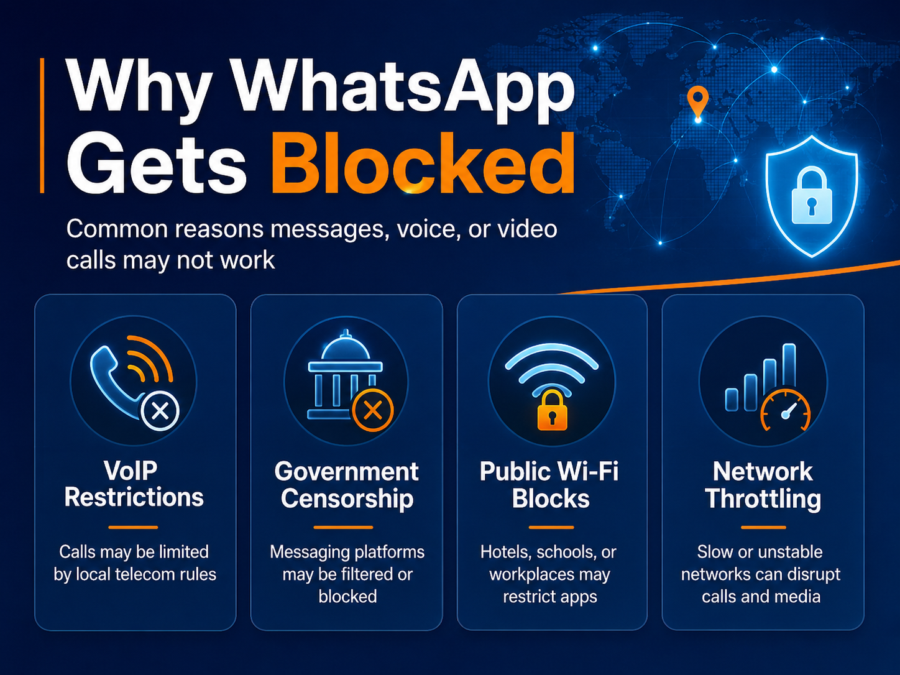
1. WhatsApp Calls May Be Restricted
In some countries or regions, WhatsApp text messages may still work while voice and video calls are limited. This usually happens because the restriction is aimed at VoIP calling rather than messaging itself.
That means you may be able to send a text, photo, or voice note, but a live call fails or disconnects quickly.
2. Public Wi-Fi Networks May Block Messaging Apps
Hotels, schools, airports, offices, rental properties, and public hotspots sometimes filter traffic. These networks may block messaging apps, restrict voice/video calling, or throttle certain types of traffic to reduce bandwidth usage.
If WhatsApp works on mobile data but not on hotel or public Wi-Fi, the network itself may be the problem.
3. Government or ISP-Level Filtering May Be Involved
Some countries apply broader controls to communication platforms, encrypted apps, VPNs, or specific types of internet traffic. Restrictions can also change quickly during political events, protests, conflicts, or regulatory disputes.
This is why a solution that works in one country, hotel, or airport may not work somewhere else.
4. Network Throttling Can Break Calls and Media
Not every WhatsApp problem is a formal block. Sometimes the network is simply slow, congested, or unstable. Voice and video calls are more sensitive to poor network conditions than basic text messages.
If messages send but calls are choppy, delayed, or dropped, the issue may be bandwidth, latency, or throttling rather than a full block.
Is WhatsApp Fully Blocked, or Are Calls Just Not Working?
Before changing settings, figure out what type of problem you have.
WhatsApp may be blocked, the network may be unstable, or the app may not be connecting properly.
VoIP calling may be restricted while text messaging remains available.
The Wi-Fi network may be blocking or throttling WhatsApp.
The issue is likely network-specific.
If no apps or websites work, you may be dealing with a broader internet outage or shutdown, not a WhatsApp-only issue.
Important: The right fix depends on the cause. A VPN may help with some network-level blocks, but it cannot fix a total internet outage. WhatsApp’s proxy feature may help in some access-disruption scenarios, but it may not solve every regional or network-level restriction.
First: Try the Basics
Before assuming WhatsApp is blocked, run through the simple checks:
- Switch between Wi-Fi and mobile data.
- Restart the WhatsApp app.
- Restart your phone.
- Update WhatsApp to the latest version.
- Check whether other apps and websites are working.
- Try a different Wi-Fi network if one is available.
- Ask someone in the same location whether WhatsApp calls are working for them.
If WhatsApp only fails on one network, the problem is probably related to that network’s filtering, routing, or bandwidth conditions.
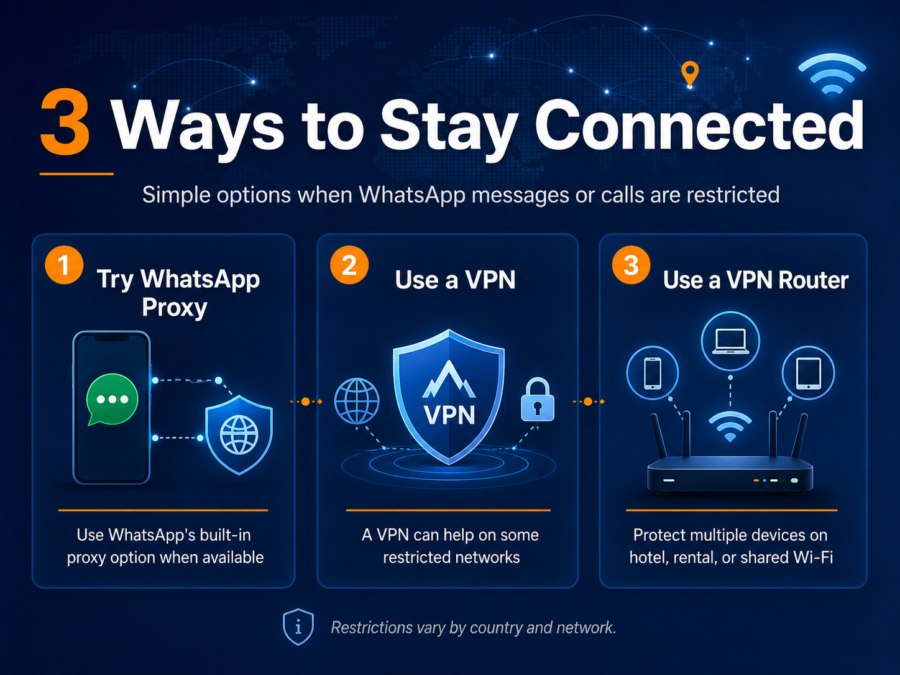
Three Ways to Stay Connected When WhatsApp Is Restricted
There is no single fix for every country, carrier, or Wi-Fi network. But there are three practical options worth understanding: WhatsApp proxy, a VPN app, and a VPN router.
Option 1: Use WhatsApp’s Built-In Proxy Feature
WhatsApp includes an official proxy option designed to help users connect when access to WhatsApp is blocked or disrupted.
A proxy can route the WhatsApp connection through a server set up to help people maintain access. WhatsApp says that using a proxy does not remove WhatsApp’s end-to-end encryption, meaning your personal messages remain protected between you and the person you are communicating with.
How to Find WhatsApp Proxy Settings
The exact menu may vary by device and app version, but WhatsApp’s proxy settings are generally found under:
WhatsApp > Settings > Storage and Data > Proxy
From there, you can enable proxy support and enter a proxy address if you have one.
This can be a useful first step because it is built into WhatsApp itself. However, it depends on having a working proxy address, and it may not solve every type of block, especially if the entire internet connection is disrupted.
Option 2: Use a VPN
A VPN creates an encrypted tunnel between your device and a VPN server. When the issue is caused by a local Wi-Fi network, ISP, or regional traffic filter, a VPN may help your device reach services that otherwise fail on that connection.
This can be especially useful when:
- WhatsApp works on one network but not another.
- Public Wi-Fi is blocking or throttling app traffic.
- Calls fail on a hotel, school, office, or rental Wi-Fi network.
- You want a more private connection while traveling.
However, a VPN is not magic. It cannot restore access during a full internet shutdown, and VPN use itself may be restricted or regulated in some countries. Always understand and follow local laws when traveling.
Which VPN Providers Work Well with a VPN Router?
If WhatsApp access problems appear to be network-related, a VPN may help. But the provider you choose matters less than whether your setup is compatible, reliable, and easy to use across the devices you actually travel with.
FlashRouters supports router-level VPN setups for many leading VPN providers, making it easier to protect phones, laptops, tablets, smart TVs, and other Wi-Fi devices through one secure network.



Proton VPN
Privacy-forward VPN option for users focused on secure access and trusted encryption.


CyberGhost
User-friendly VPN option for everyday privacy, travel, and general secure browsing needs.

ExpressVPN
Popular premium VPN brand with strong recognition among international travelers.
VPN provider support can vary by router model, firmware, protocol, and account type. If you are buying a router for a specific VPN provider, check compatibility before choosing your setup.
Option 3: Use a VPN Router
A VPN app protects one device at a time. A VPN router protects the Wi-Fi connection itself.
That distinction matters when you are traveling with multiple devices, helping family members stay connected, or using devices where installing a VPN app is inconvenient.
With a VPN router, your phone, laptop, tablet, and other connected devices can route through the VPN simply by joining your secured Wi-Fi network.
Why a VPN Router Helps with WhatsApp Access
- It protects multiple devices at once: Phones, laptops, tablets, and other Wi-Fi devices can share the same protected connection.
- It is helpful on hotel and rental Wi-Fi: Instead of configuring every device separately, connect your router to the available internet and then connect your devices to your private Wi-Fi network.
- It reduces app-by-app setup: A router-level VPN setup can protect devices even when individual app installation is inconvenient.
- It is useful for families: One protected Wi-Fi network is easier than walking every person through separate app settings.
- It can help with broader travel privacy: A VPN router is not just for WhatsApp. It can also help protect browsing, streaming devices, laptops, and other connected hardware on shared networks.
For travelers, a compact VPN travel router can be especially useful. It creates your own secure Wi-Fi network from a hotel, rental, dorm, office, or shared connection.
Best FlashRouters Options for Travelers and WhatsApp Access
The best router depends on where you plan to use it: on the road, at home, in a rental, or as part of a family setup.
Best Travel Pick
The Slate 7 is a compact travel-friendly VPN router designed for people who want secure Wi-Fi on the go. It is a strong fit for hotel rooms, rentals, work trips, family travel, and portable privacy setups.
Easiest Home Pick
Privacy Hero 2 is built for simple, whole-home VPN coverage. It is a better fit when your main goal is protecting a household or shared space rather than packing a router for every trip.
Best Home Coverage
If you want stronger home Wi-Fi coverage, faster hardware, and more advanced routing features, a full-size ASUS WiFi 7 FlashRouter may be the better direction.
When a VPN Router Will Not Fix WhatsApp
A VPN router can be extremely useful, but it is important to be realistic.
A VPN router will not fix every WhatsApp problem. It cannot:
- Restore internet access during a complete shutdown.
- Guarantee access in every country or on every network.
- Fix a WhatsApp account issue, outdated app, or phone-level problem.
- Protect your phone when your phone is using cellular data instead of the router’s Wi-Fi.
- Override local laws or regulations.
Think of a VPN router as a stronger network-level privacy and access tool. It improves your setup, especially on shared Wi-Fi, but it does not control the internet conditions in every country or location.
Quick Troubleshooting Checklist
If WhatsApp is not working abroad, try this order:
- Check whether basic internet access works.
- Switch between Wi-Fi and mobile data.
- Update WhatsApp.
- Try sending a text message before testing voice or video calls.
- Try another Wi-Fi network.
- Check WhatsApp’s proxy setting if access appears blocked.
- Use a VPN if the issue appears network-related.
- Use a VPN travel router if multiple devices need secure access on shared Wi-Fi.
Why This Is Bigger Than WhatsApp
WhatsApp is often the app people notice first because it is tied to daily communication. But the bigger issue is network control.
The same forces that can interfere with WhatsApp can also affect other apps, websites, streaming platforms, cloud tools, and communication services.
That is why router-level privacy is becoming more important. It gives your devices a more consistent and private network foundation, especially when you are relying on Wi-Fi networks you do not own.
FAQ: WhatsApp Blocked Abroad
Why is WhatsApp blocked in some countries?
WhatsApp may be blocked or restricted because of local telecom rules, VoIP restrictions, government censorship, ISP filtering, or temporary internet controls. In some places, text messaging may work while voice and video calls are restricted.
Can a VPN unblock WhatsApp calls?
A VPN may help when WhatsApp calls are being blocked or throttled by a local network, internet provider, or public Wi-Fi system. It will not help during a full internet outage, and results vary by country and network.
Does WhatsApp proxy protect my messages?
WhatsApp says proxy connections do not remove WhatsApp’s end-to-end encryption. That means your personal messages remain protected between you and the person you are communicating with.
Is WhatsApp blocked in the UAE?
WhatsApp messaging may work in the UAE, but WhatsApp voice and video calling have historically faced restrictions. Rules and enforcement can change, so travelers should check current local conditions before relying on any single app.
Is WhatsApp blocked in China?
WhatsApp has been widely restricted in China. Travelers should prepare alternative communication options before arriving and understand local rules around VPN use and internet access.
Can a travel router help with WhatsApp abroad?
A travel router can help when you want to create your own secure Wi-Fi network from a hotel, rental, office, or shared internet connection. When paired with a VPN, it can protect multiple devices without setting up a VPN app on each one.
What is the best router for using WhatsApp while traveling?
For travel, a compact VPN travel router is usually the best fit. For home or family-wide privacy, a full-size VPN router or Privacy Hero 2 may be a better choice.
Final Takeaway
If WhatsApp stops working abroad, do not assume the app is broken. The issue may be the network, the country, the Wi-Fi provider, or the type of WhatsApp feature you are trying to use.
Start with simple troubleshooting. Try WhatsApp proxy when appropriate. Use a VPN when the restriction appears to be network-level. And if you want a more complete setup for travel, family devices, or shared Wi-Fi, consider using a VPN router.
WhatsApp blocks are not just a messaging-app problem. They are a network access problem. A better network setup gives you a better chance of staying connected.
Sources and Further Reading

BEST VPNs OF 2026
#1

#2

#3
